GitHub Integration

Push code, not buttons.
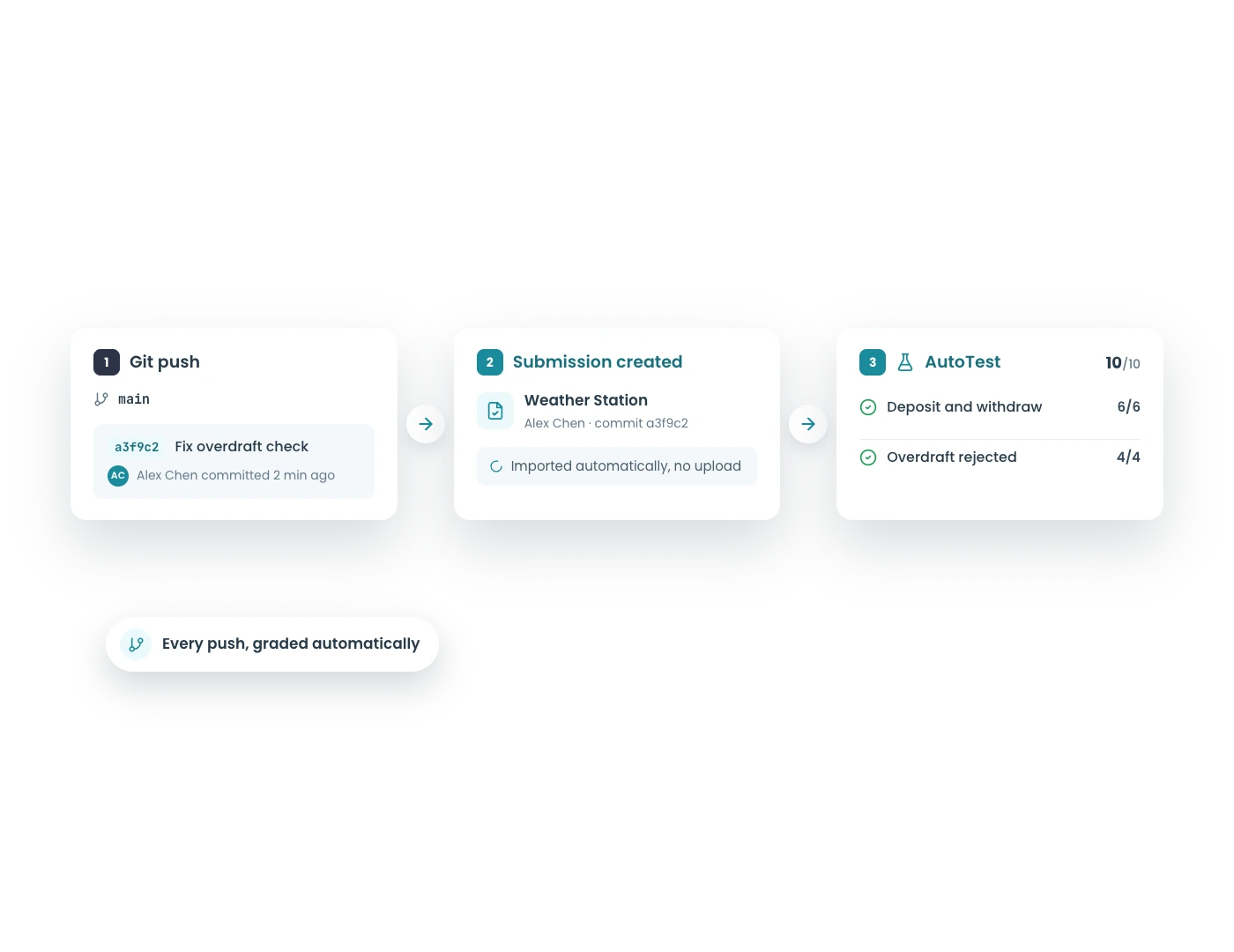
CodeGrade's Git workflow: push to GitHub, submission created, AutoTest run.A git push turning into a graded CodeGrade submission with a passing AutoTest check.

1. Every push triggers a submission

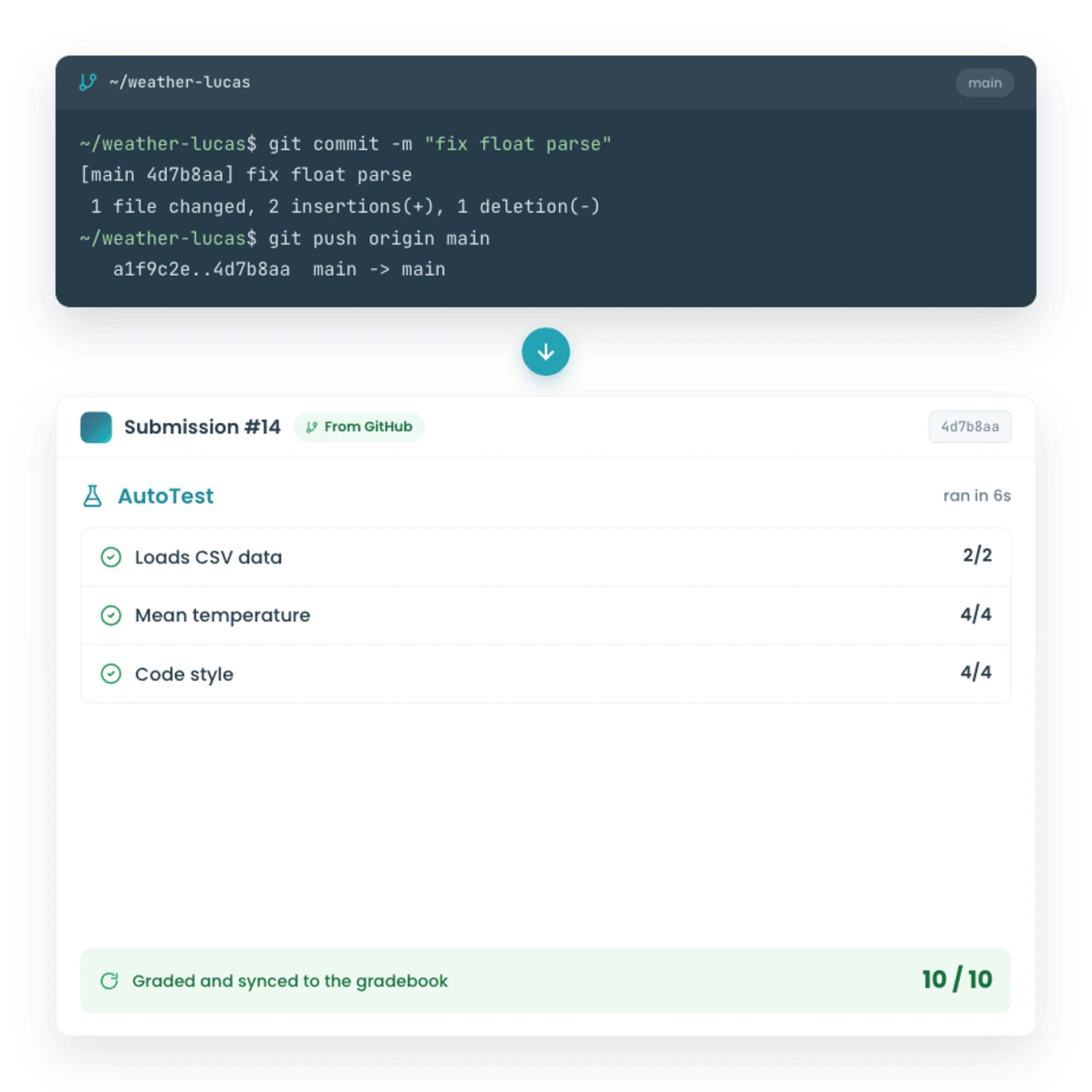
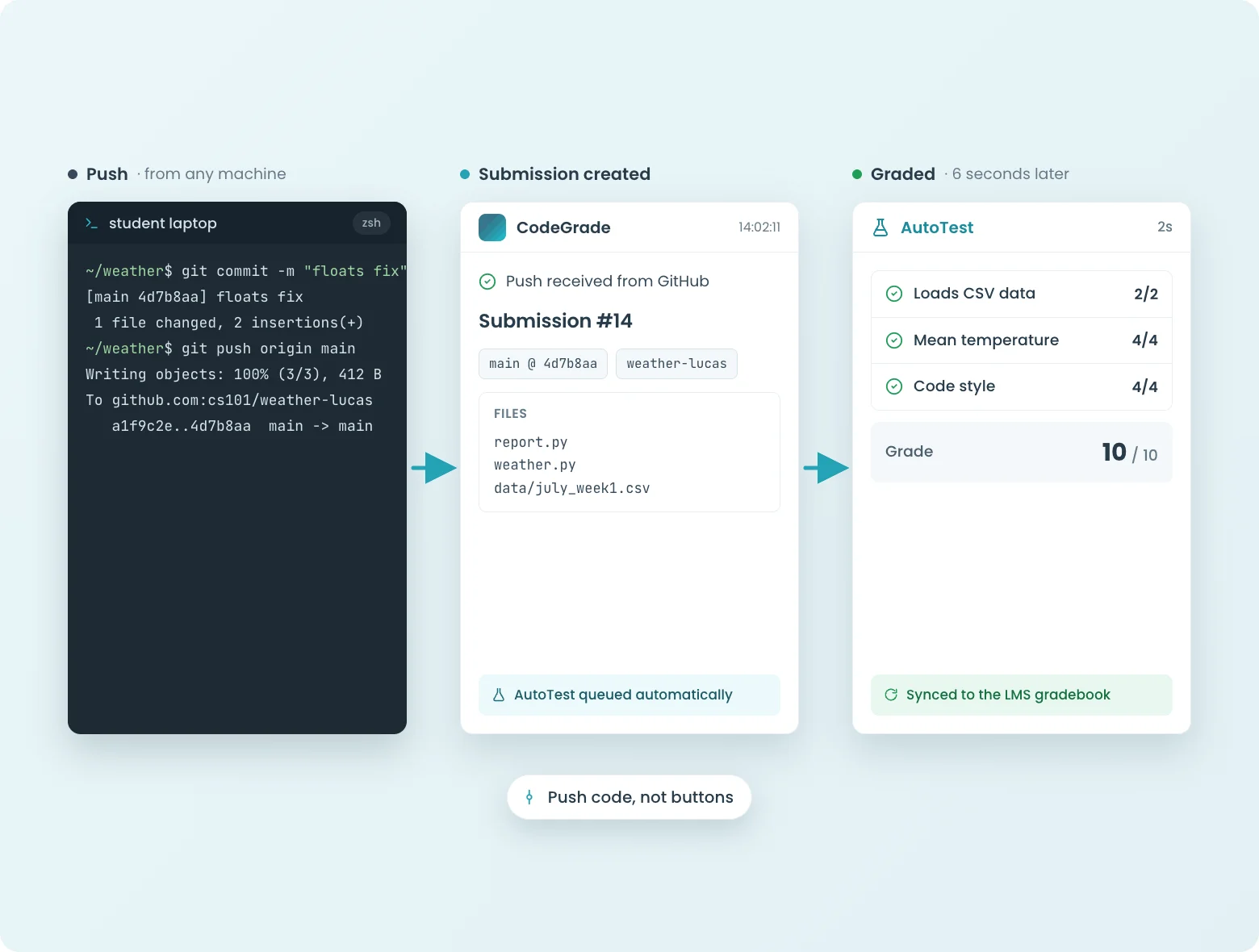
Students push to GitHub or GitLab and CodeGrade picks it up automatically. No uploading files through a web form, no "I forgot to submit." Every push is a submission, and every submission gets graded by the autograder. Students work the way developers work.
  • Automatic submissions on every Git push to GitHub or GitLab
  • Autograder runs immediately on each submission
  • Full commit history visible to instructors
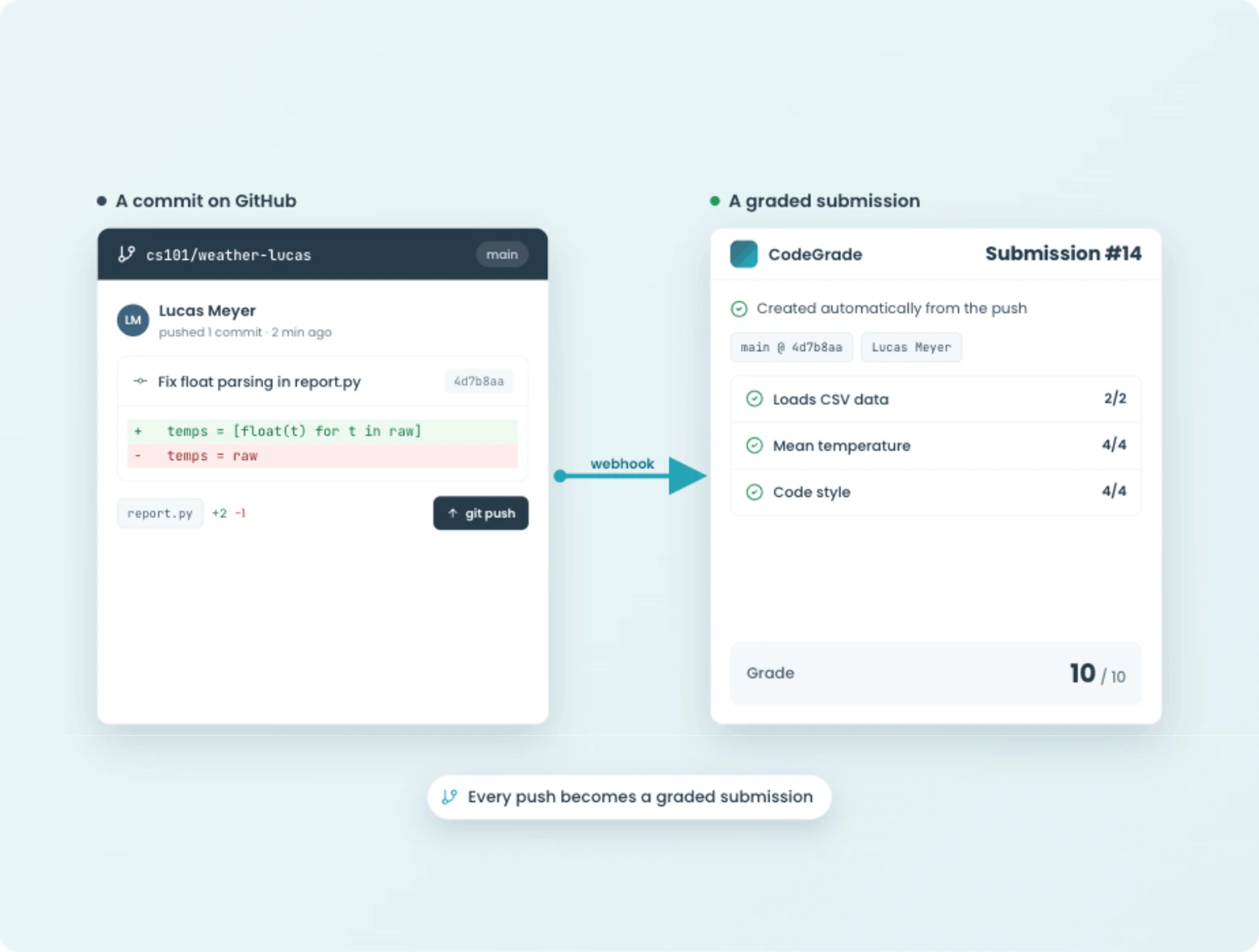
A GitHub commit creating a new graded submission in CodeGrade.
Every git push triggers a graded submission in CodeGrade.

2. Git workflows with real autograding

Git-based submission is only half the story. CodeGrade pairs it with a block-based test builder, so you get the benefits of a professional Git workflow without writing YAML configs or maintaining fragile CI scripts. Set up autograding with drag-and-drop blocks, and every push gets tested automatically.

  • No YAML files, no CI configs. Set up autograding visually.
  • 175+ languages supported out of the box
  • Switching from another Git-based autograder? Our support team will migrate your test configurations for you.

3. Template repos that set themselves up

Point an assignment at a template repo and CodeGrade handles the rest. Students clone the repo, push their work, and every commit is tracked in the submission history. One setup per assignment, reusable every semester. Coming from GitHub Classroom? We migrate your test configurations for you.
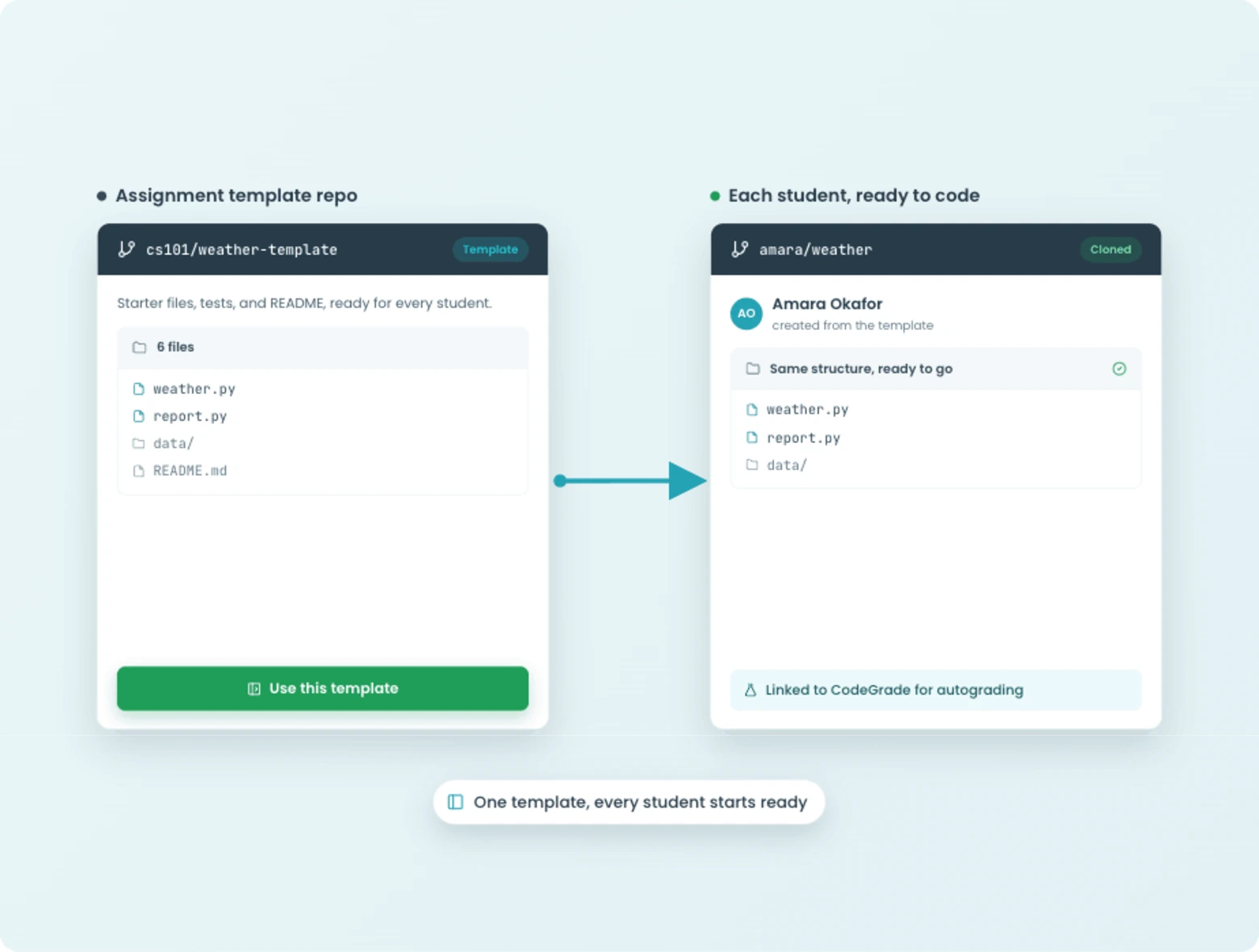
  • Link a template repo to any assignment
  • Students clone, code, and push. CodeGrade grades each push.
  • Every commit tracked in submission history for both students and instructors
An assignment linked to a GitHub template repository that students clone.

Connect CodeGrade to the tools you already use.

Native LMS integration, GitHub workflows, and a full REST API. No separate accounts, no extra steps.

Discover how institutions use CodeGrade to improve their coding courses

Kevin McDonnell

CS Undergraduate Program Director

"That's one thing I really like about CodeGrade - how seamlessly all the pieces work together."

Alex St. Aubin

Instructor Computer Science at the University of Nevada, Las Vegas

“CodeGrade has really made our lives easier. The lives of the TAs, the students, the teachers. It has really helped our Computer Science Department out a lot.”

Patrick Totzke

Full Professor

I have many students expressing how amazing it is to use CodeGrade for their submissions!

Frequently Asked Questions

More features

Circular gear with a checkmark, representing automated code grading.
The most powerful autograder
Grade code automatically across 175+ languages, with feedback that lands while students are still coding. Free for up to 50 students, forever.
> Learn more
Computer screen with code, symbolizing Integrated Development Environment for programming.
The Integrated Learning Environment: the IDE built for learning
One place inside Canvas, Blackboard, Moodle, or Brightspace where students write and run real code, get instant feedback, and use AI on your terms. And where you see all of it.
> Learn more
Code API integration symbol with circuit connections.
Automate your grading workflow with the API
Everything you can do in the UI, you can do via the API. Set up autograding at scale, manage courses across sections, and pull data when you need it.
> Learn more

Get started today and unlock the power of CodeGrade.