Turn AI into a graded learning outcome

Students write prompts. An LLM generates code. Your autograder tests it. All automatic.
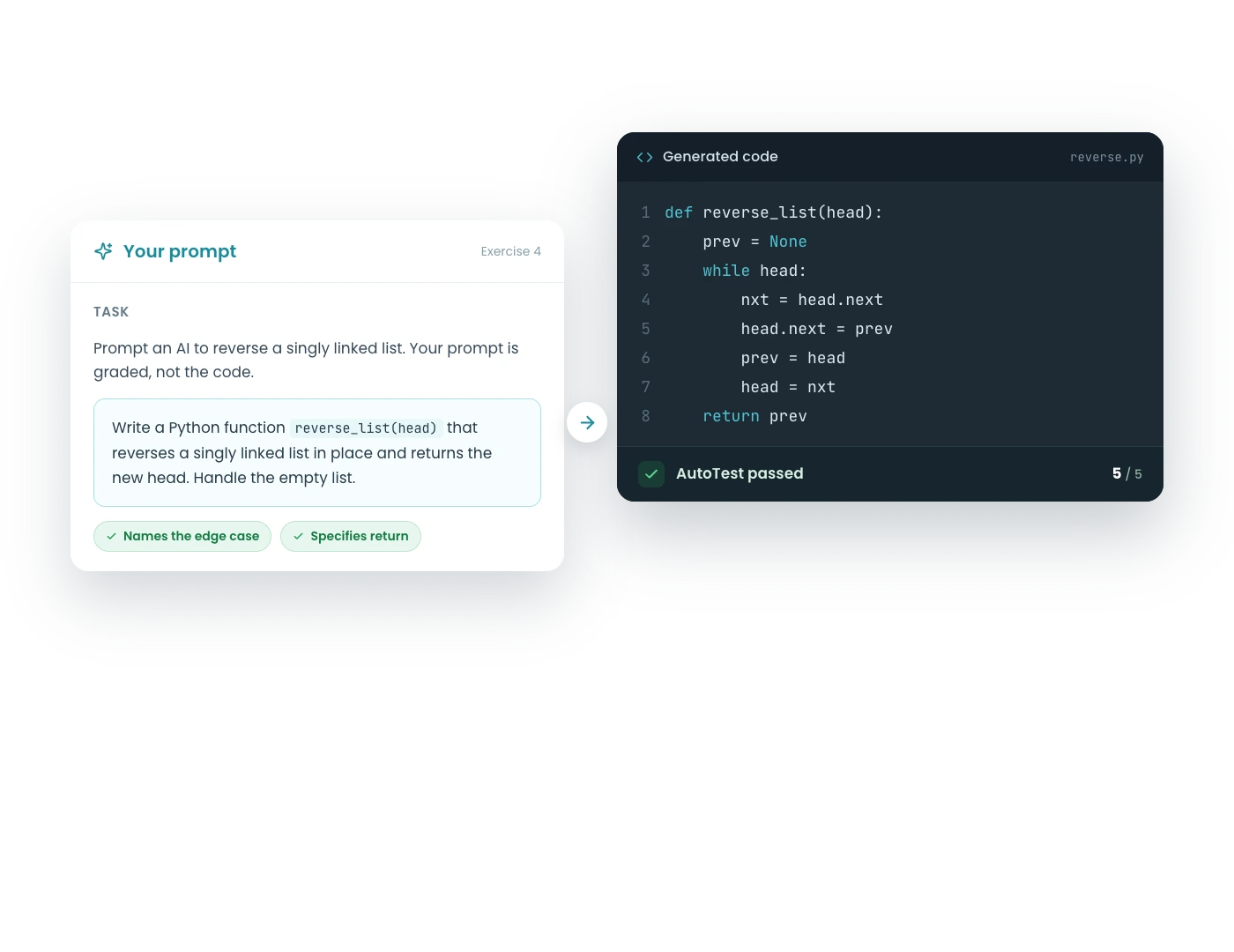
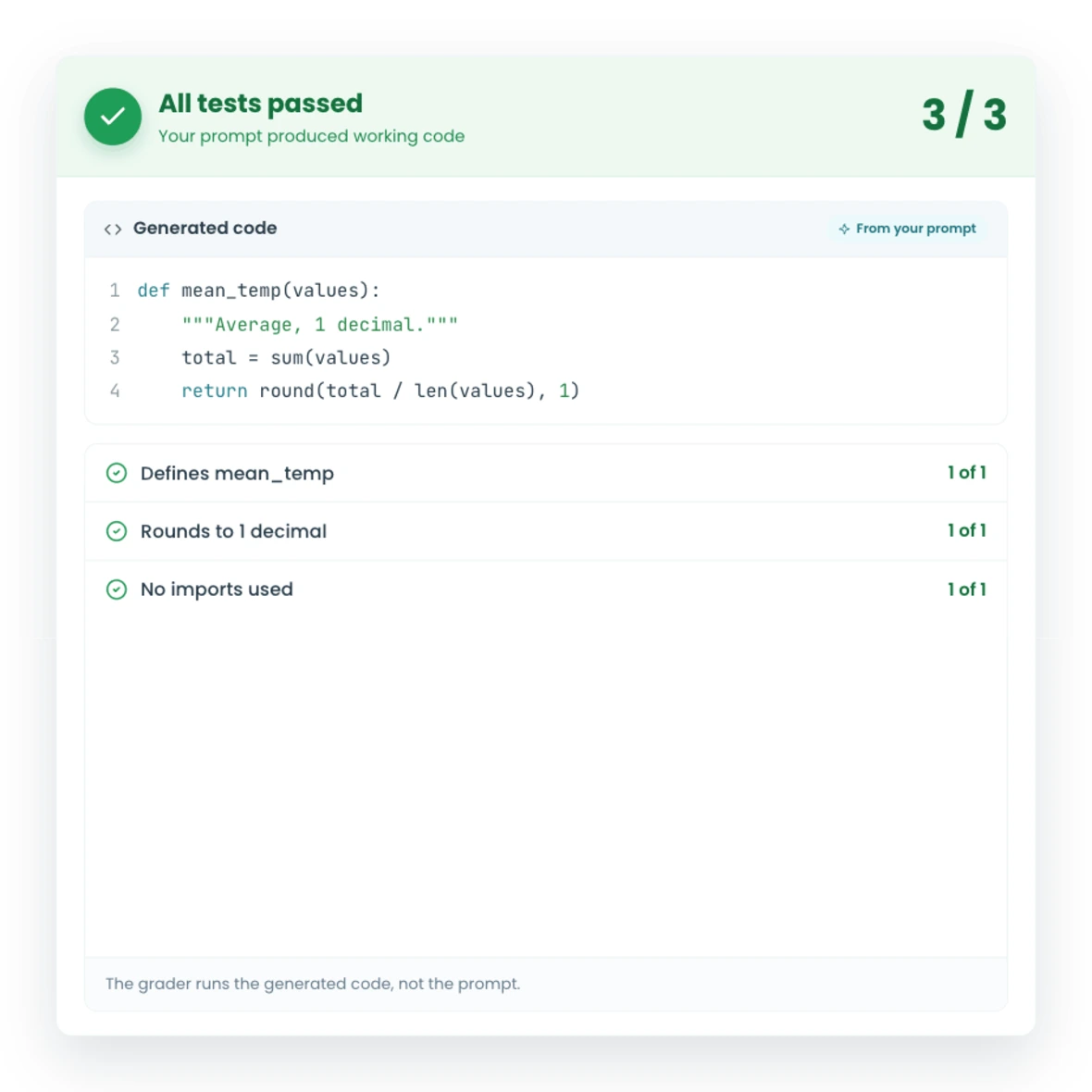
A CodeGrade prompt exercise: student prompt, generated code, and AutoTest verdict.A CodeGrade prompt exercise result with passing AutoTest checks on LLM-generated code.

1. Grade how students use AI, not just how they code

Your students are already using ChatGPT. Instead of fighting it, make it part of the course. Prompt exercises let students practice writing prompts that produce working code, and CodeGrade grades the result automatically. The prompt is only as good as the code it generates: if the tests pass, the prompt worked.
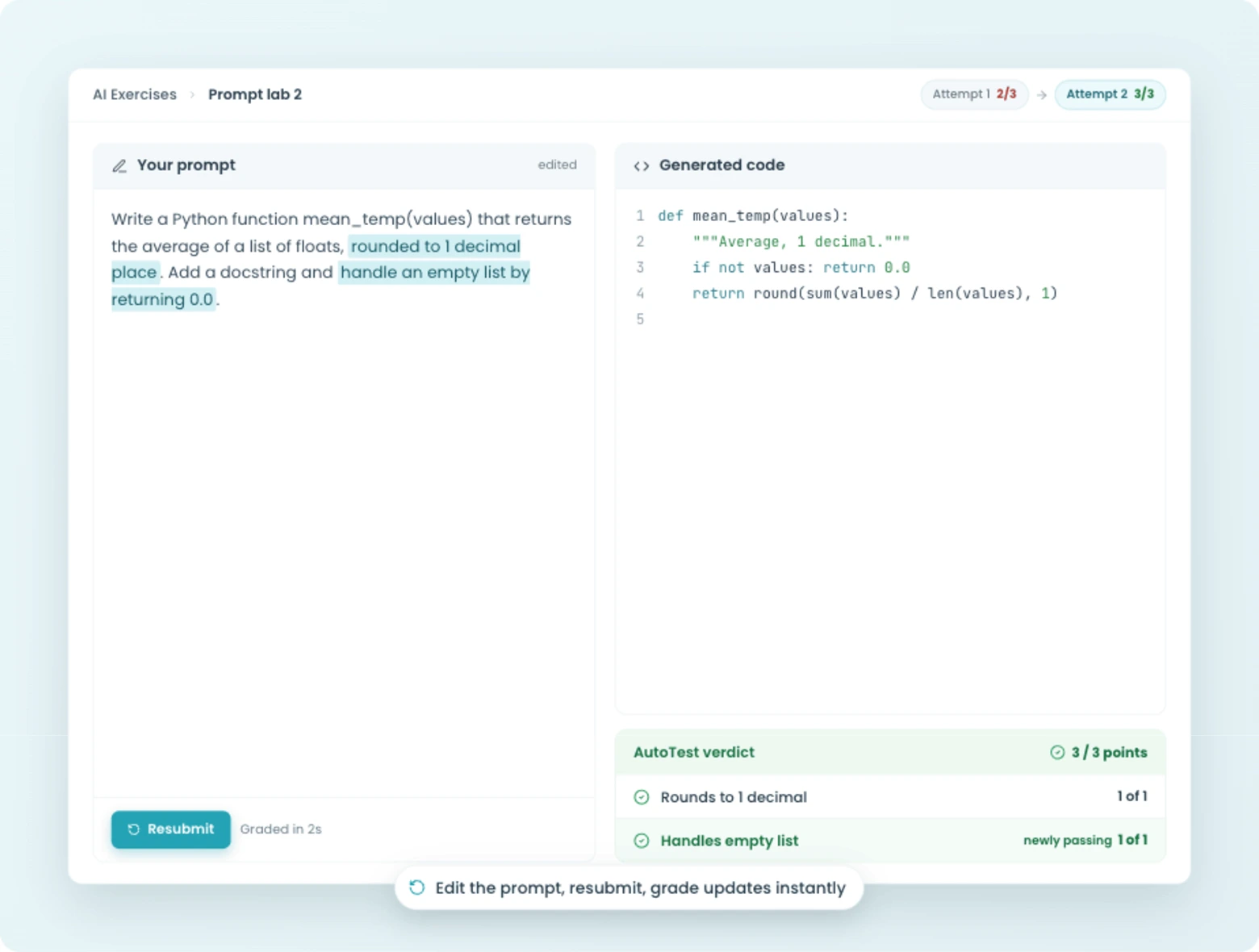
  • Add prompt questions to any quiz alongside coding and multiple-choice questions
  • CodeGrade runs your test suite against the LLM-generated code, not the prompt itself
  • You define what "correct" looks like. The autograder handles the grading.
Prompt exercise graded by generating code and running it against tests.
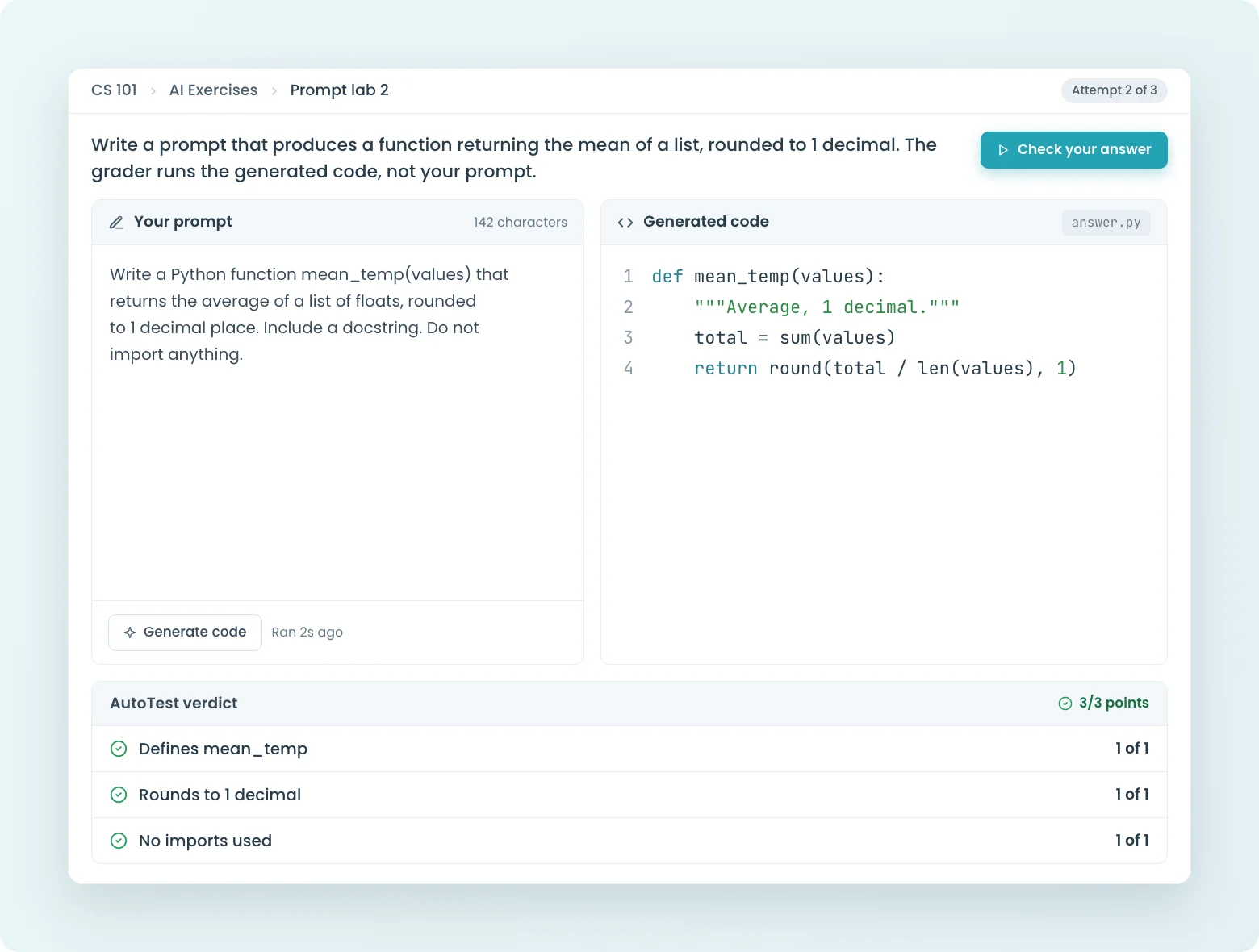
A student editing a prompt, resubmitting, and getting an instant AutoTest grade in CodeGrade.

2. Students iterate in seconds, not days

Prompting is a skill you learn by doing. Each submission gets graded in seconds, so students can refine their prompt and resubmit right away. No waiting for a TA, no manual review.

  • Submissions graded in seconds, every attempt
  • Students see which tests passed and which failed after each try
  • Works like any other CodeGrade assignment: set resubmission limits, deadlines, and late policies

3. Low-stakes practice that fits into any course

Prompt exercises are lightweight by design. Add a few prompt questions to a weekly quiz as a formative check, or build a standalone exercise before an exam. You can see every student's grade and their submitted prompt.

Prompt exercises live inside coding quizzes and require the AI add-on; your first course includes it free.
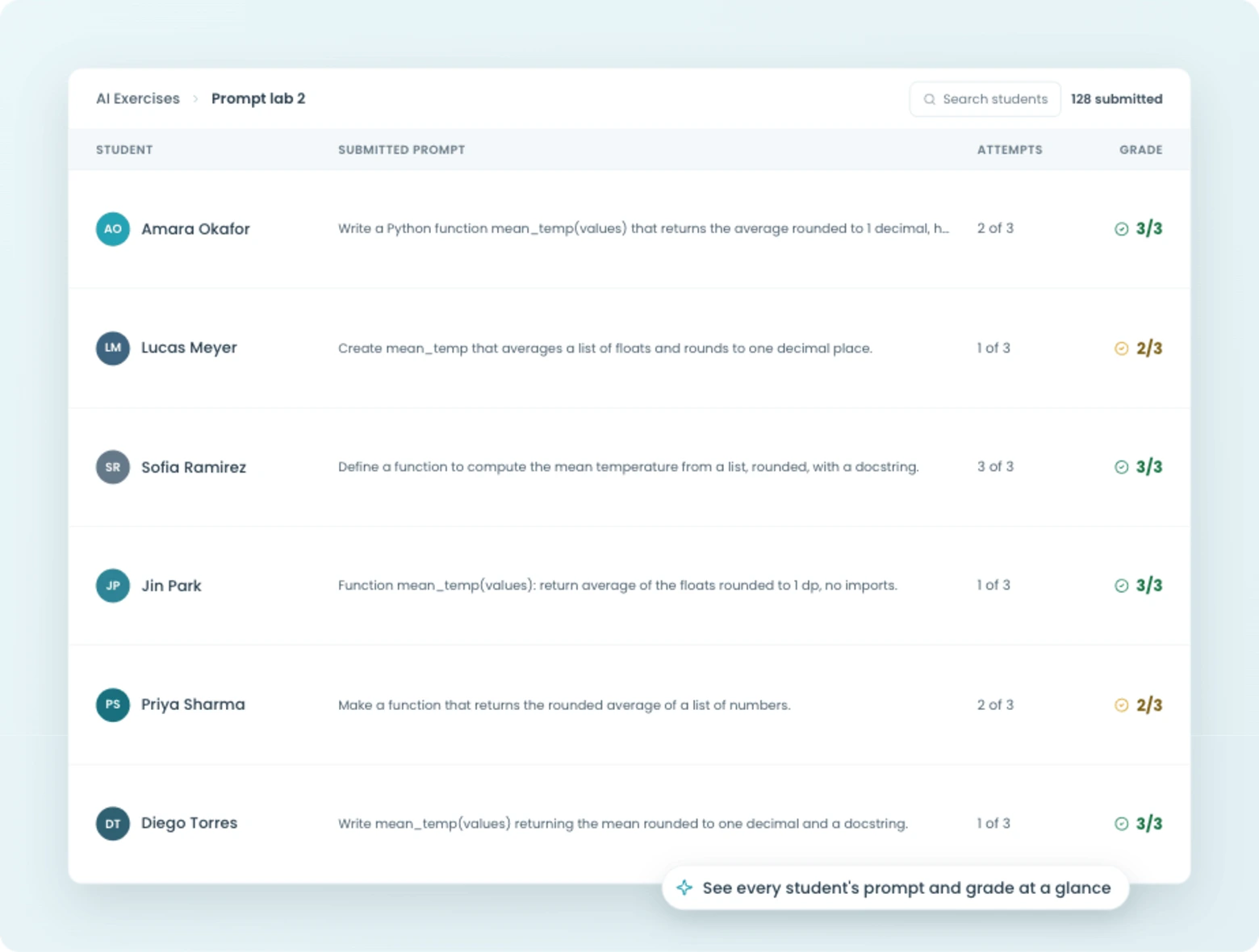
  • Assign prompt exercises as formative practice or graded assessments
  • Mix prompt questions with coding and multiple-choice questions in the same quiz
  • Part of the AI add-on, works with your existing CodeGrade setup
An instructor view of students' submitted prompts and grades in CodeGrade.

Run secure assessments and protect academic integrity.

Coding exams with session lockdown, plagiarism detection across semesters, and auto-graded AI exercises. Free for up to 50 students.

Discover how institutions use CodeGrade to improve their coding courses

Alex St. Aubin

Instructor Computer Science at the University of Nevada, Las Vegas

“CodeGrade has really made our lives easier. The lives of the TAs, the students, the teachers. It has really helped our Computer Science Department out a lot.”

Jamie Andrews

Director of Graduate Programs

I can see the student submissions and slowly watch their scores creep up, which is incredibly rewarding!

Carey Baldwin

Lecturer at the University of Massachusetts, Amherst in the Isenberg School of Management.

"I really appreciate the partnership that I have with CodeGrade, they help solve every problem!"

Frequently Asked Questions

More features

AI speech bubbles, representing Large Language Models in coding and programming.
An AI assistant you actually control
A configurable AI assistant embedded in the environment where students already write and run code. A virtual TA that asks guiding questions or a full coding assistant. You decide per assignment, and you can read every conversation.
> Learn more
Code exam checklist with checkmarks, symbolizing programming assessment.
Run secure coding exams that grade themselves
IP restrictions, access passwords, and session lockdown. Students write real code in the browser. Grades are ready the moment the exam ends.
> Learn more
Circular gear with a checkmark, representing automated code grading.
The most powerful autograder
Grade code automatically across 175+ languages, with feedback that lands while students are still coding. Free for up to 50 students, forever.
> Learn more

Get started today and unlock the power of CodeGrade.