CodeGrade lives inside your LMS

Native integration with Canvas, Blackboard, Moodle, and Brightspace. Students open an assignment and start coding. Grades sync back automatically.
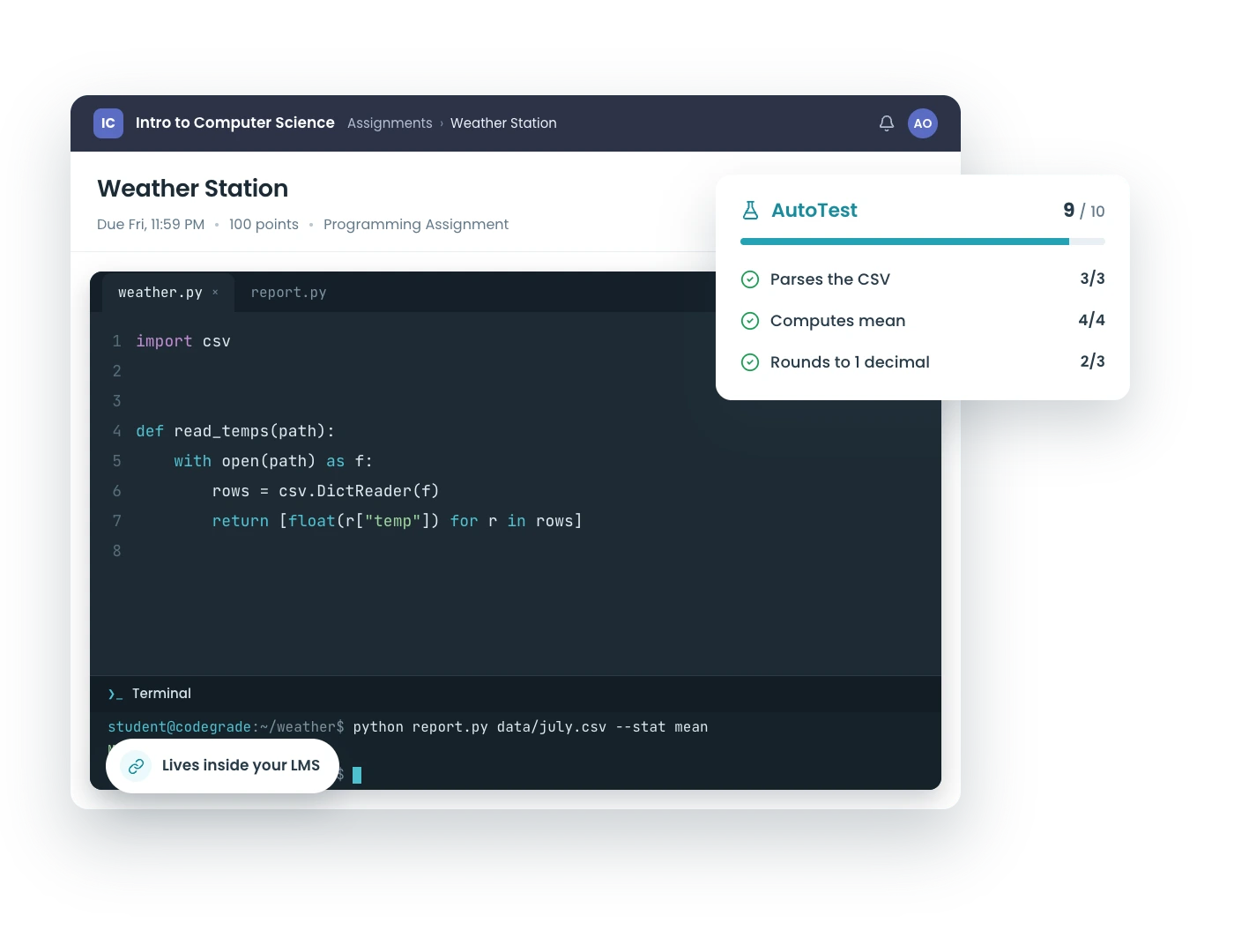
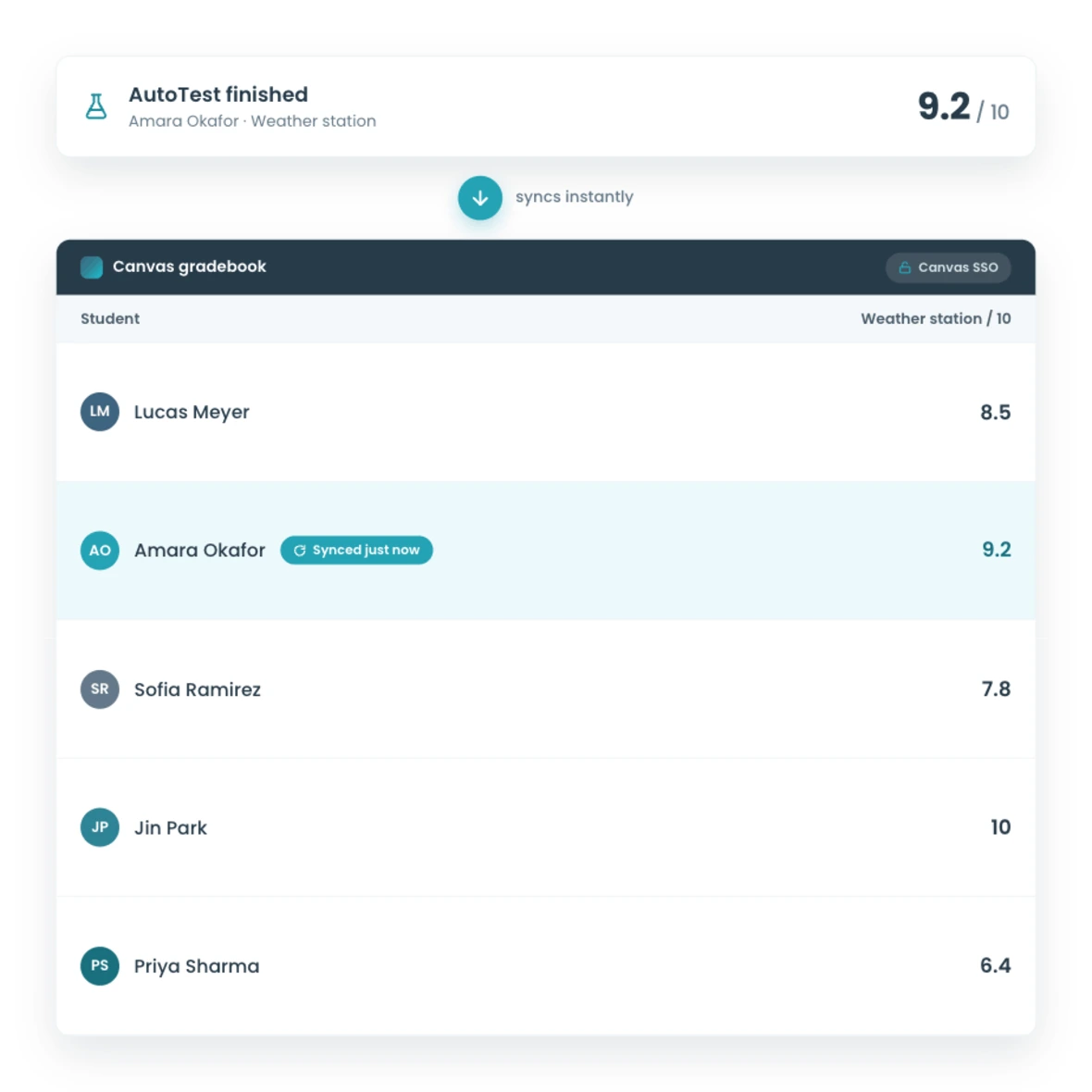
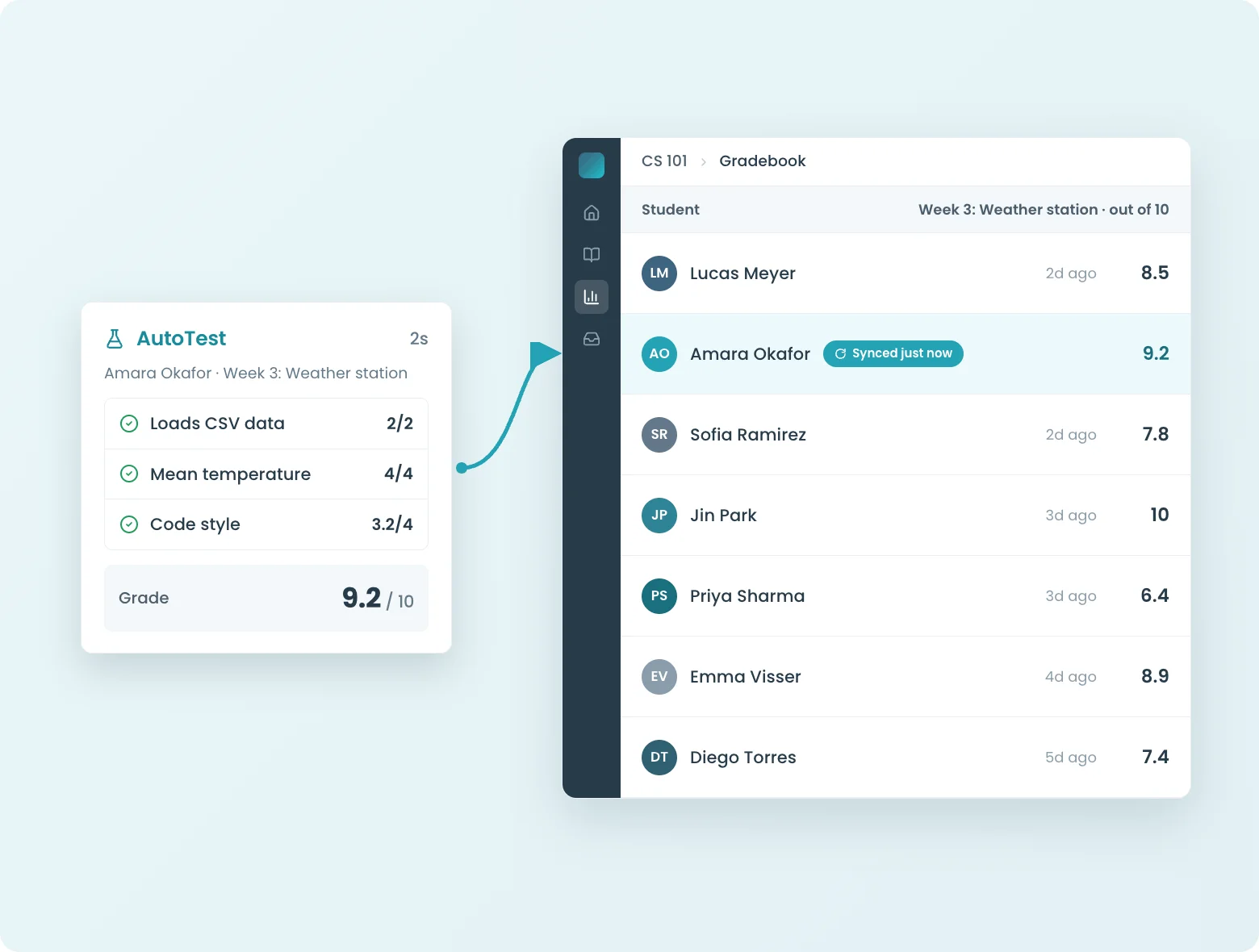
CodeGrade embedded inside the LMS with grades syncing automatically.CodeGrade grades syncing into the Canvas gradebook.

1. Students never leave the LMS

No separate logins, no "go to this other website" instructions on the first day of class. CodeGrade embeds directly inside your LMS. Students click an assignment in Canvas, Blackboard, Moodle, or Brightspace and land in CodeGrade's learning environment, ready to code. It looks and feels like part of the LMS.
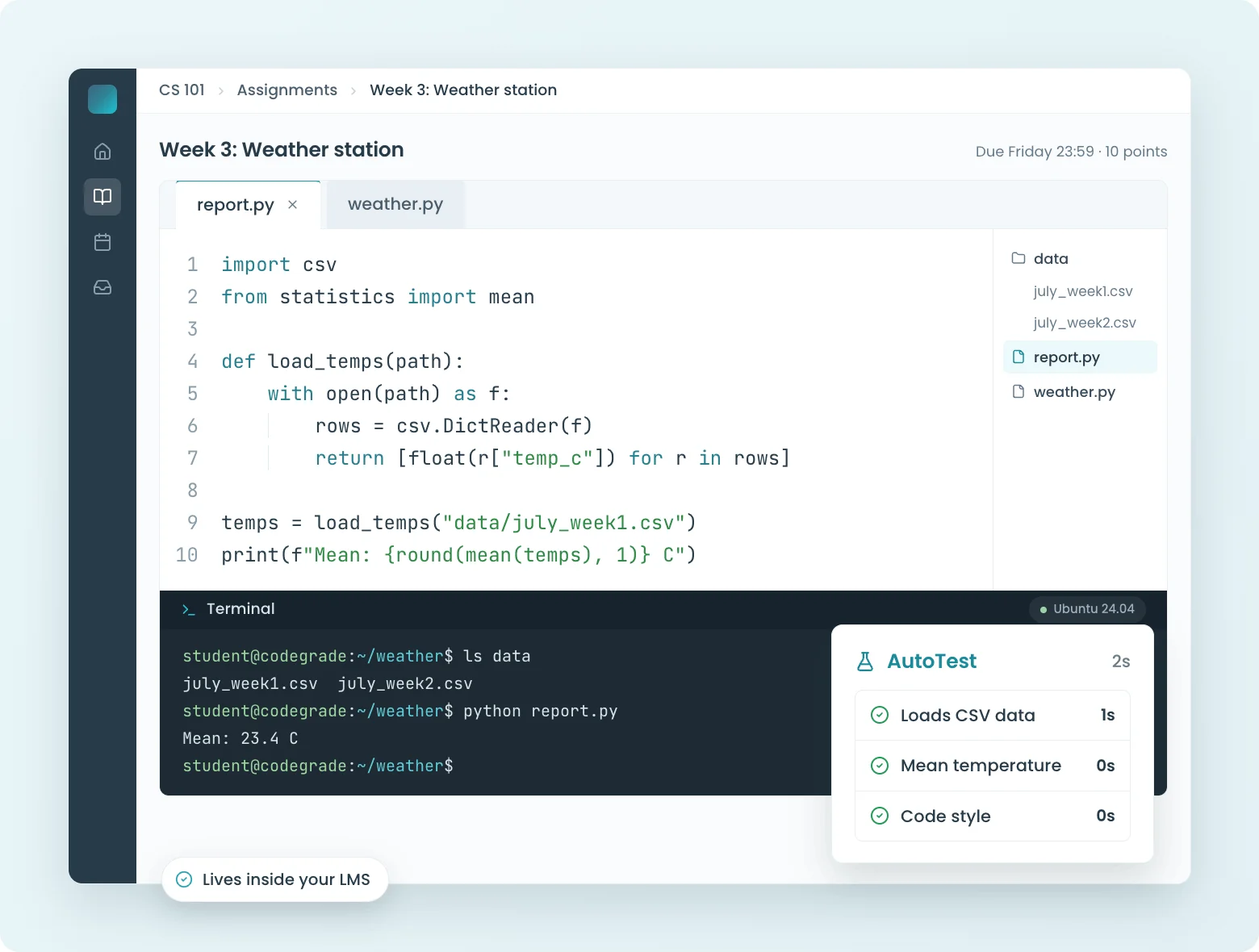
  • Students access assignments, the full coding environment with editor and terminal, and feedback without leaving the LMS
  • No separate accounts to create. Enrollment syncs from your LMS automatically.
  • Works with Canvas, Blackboard, Moodle, and Brightspace
Students code in editor and terminal without leaving the LMS.
CodeGrade grades syncing automatically into the Canvas gradebook.

2. Grades sync automatically

When the autograder finishes, the grade shows up in your LMS gradebook. No CSV exports, no manual entry, no "I forgot to sync the grades" emails from students. It just works.

  • Autograder scores sync to your LMS gradebook the moment grading completes
  • Manual grades and rubric scores sync too
  • Students see their grade in the same place they see grades for every other course

3. No separate accounts, no onboarding headaches

Students and TAs don't create CodeGrade accounts. They click the assignment in the LMS and they're in. Roles sync automatically: if someone is a TA in Canvas, they're a TA in CodeGrade. No "how do I log in?" emails on day one.
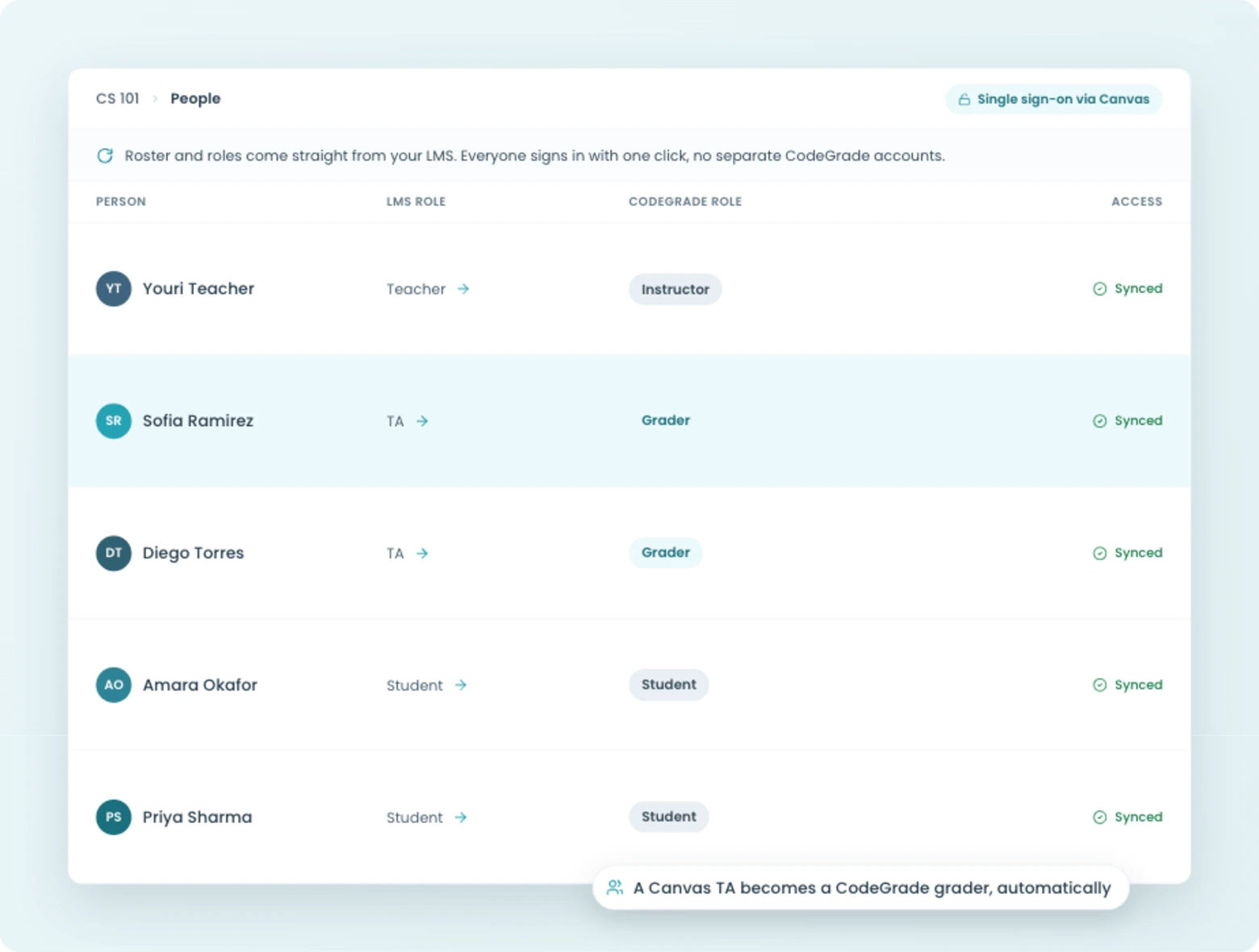
  • Students are enrolled automatically based on your LMS roster
  • Instructor and TA roles sync from the LMS
  • FERPA and GDPR compliant
LMS roles syncing to CodeGrade, a Canvas TA automatically a CodeGrade TA, with single sign-on.

Connect CodeGrade to the tools you already use.

Native LMS integration, GitHub workflows, and a full REST API. No separate accounts, no extra steps.

Discover how institutions use CodeGrade to improve their coding courses

Angela Venable

Assistant Professor, Ivy Tech Community college

“I also find students get more engaged when they get quicker feedback.”

Leslie Hendrix

Clinical Professor in Management Science

"Coding is like learning a sport. You have to practice repeatedly to improve."

Carey Baldwin

Lecturer at the University of Massachusetts, Amherst in the Isenberg School of Management.

"I really appreciate the partnership that I have with CodeGrade, they help solve every problem!"

Frequently Asked Questions

More features

Computer screen with code, symbolizing Integrated Development Environment for programming.
The Integrated Learning Environment: the IDE built for learning
One place inside Canvas, Blackboard, Moodle, or Brightspace where students write and run real code, get instant feedback, and use AI on your terms. And where you see all of it.
> Learn more
Circular gear with a checkmark, representing automated code grading.
The most powerful autograder
Grade code automatically across 175+ languages, with feedback that lands while students are still coding. Free for up to 50 students, forever.
> Learn more
Icon of a cat representing GitHub platform for coding and programming collaboration.
GitHub Integration
Push code, not buttons.
> Learn more

Get started today and unlock the power of CodeGrade.