A student can write a working binary search and still not be able to explain why it is faster than a linear search.
Sometimes that explanation is what you want to grade. You may want students to compare two approaches, or to justify a choice. Code can't show that. A multiple choice question can't either.
Essay questions are coming to CodeGrade quizzes for exactly this. Students answer in their own words, and you grade what they wrote. The idea came from a professor who wanted to read written answers with proper formatting, tables and equations included.
How it works
An essay question sits in a quiz, next to your multiple choice and coding questions.
- You write the question. You can also add a starter template that gives every answer the same structure, such as headings or a table to fill in.
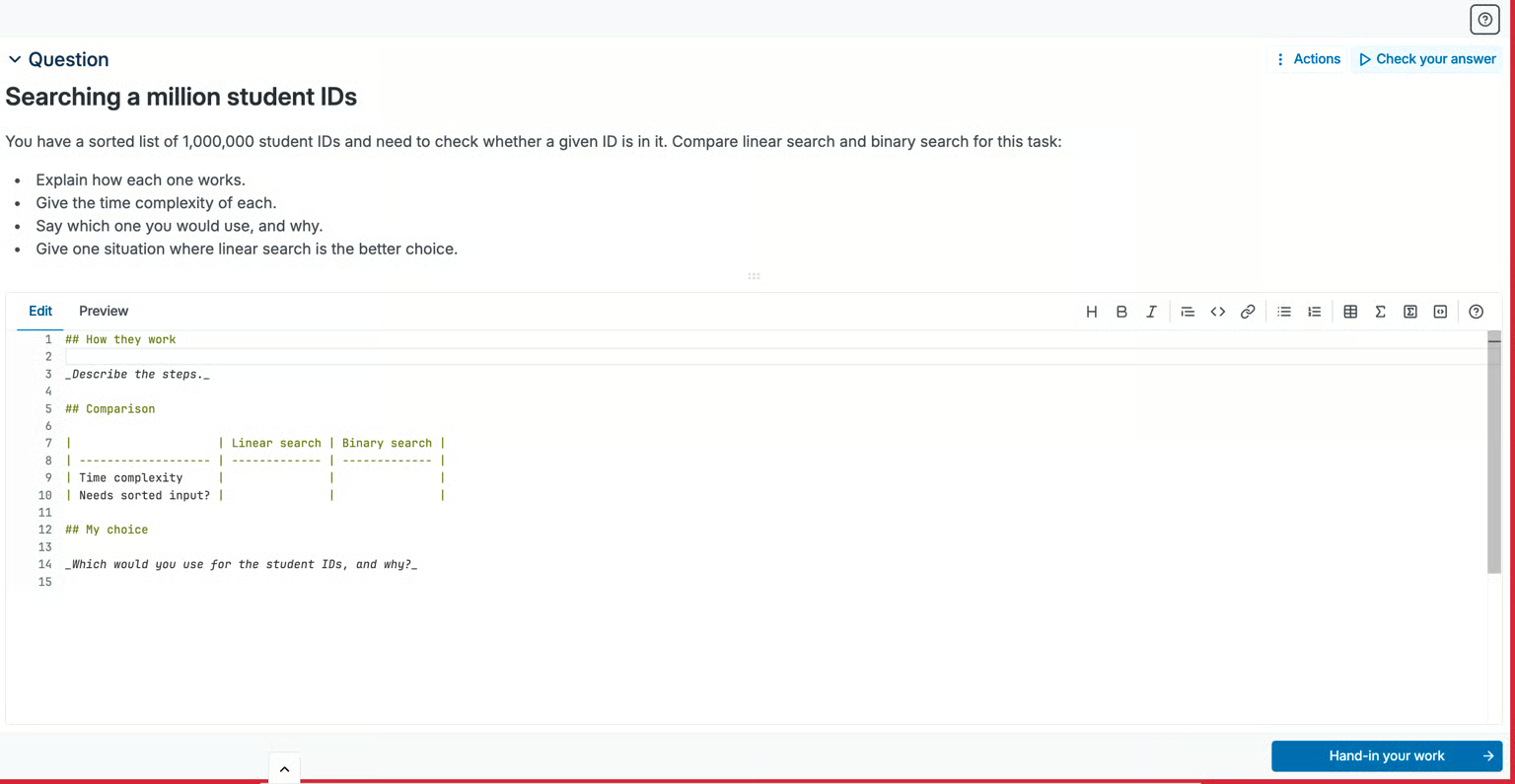
- Students write their answer in Markdown. Tables and math are supported. A preview shows them how the answer will look. Students who are new to Markdown can insert a table or a formula from the editor.
- Students work in the editor they already know. It is the same browser editor they use for code. It opens inside Canvas, Blackboard, Moodle, and Brightspace.
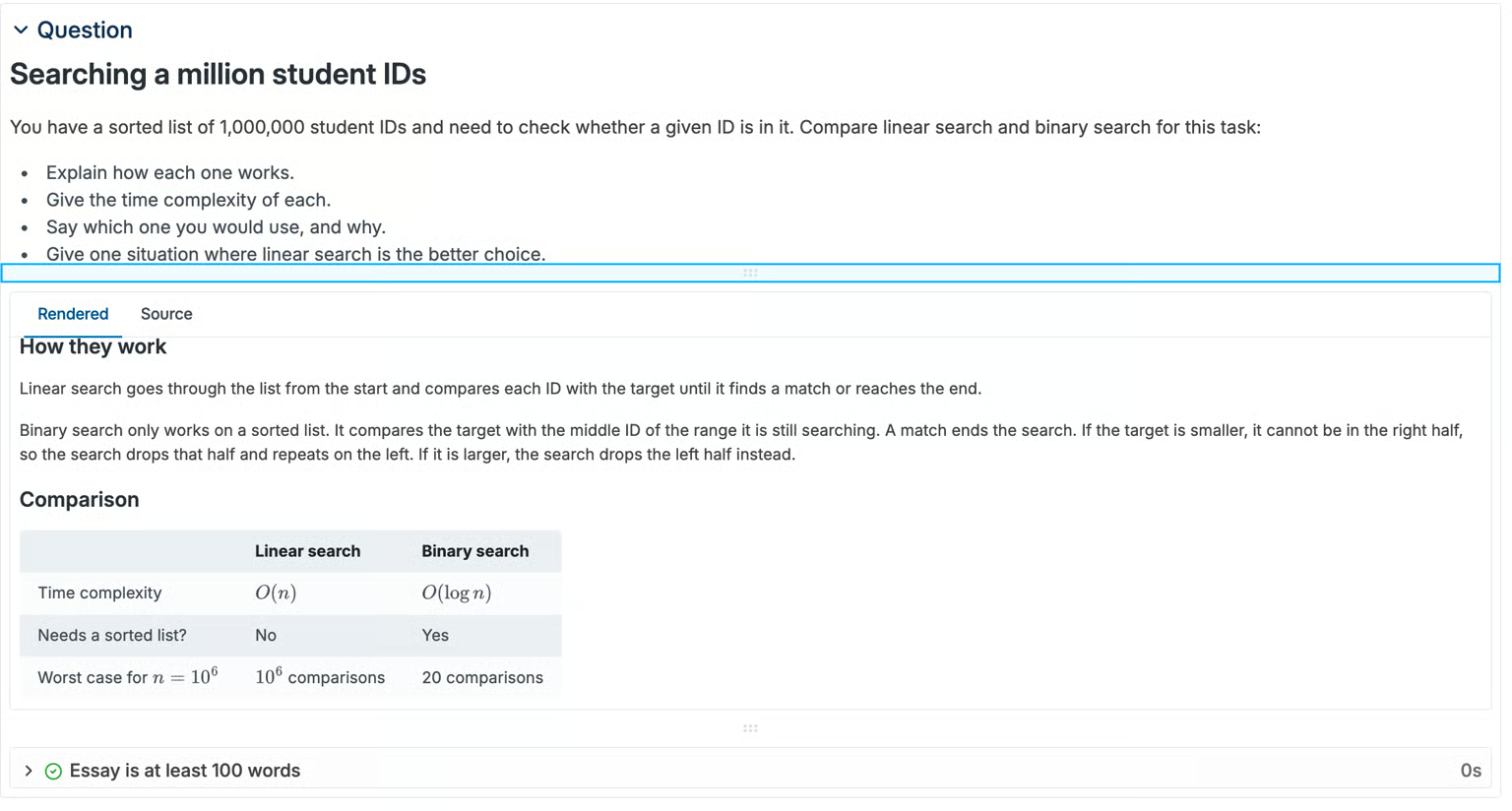
- You read the answer formatted. Headings, tables and formulas appear the way the student intended.
Students write Markdown, not rich text. There are no fonts or colors. For a few paragraphs, a table and a formula, Markdown is enough.
If you set a paste limit on the assignment, it covers essay answers too
An example
Say you have a sorted list of one million student IDs. You ask students which search they would use to find one ID: linear search or binary search.
Your starter template gives every answer three headings. The first is for how each search works. The second is for a comparison, and you put an empty table under it. The third is for the student's choice.
The student fills in the table with the time complexity of each search, written as a formula. Then they explain their choice in a few sentences.
When you open the answer, you read it formatted. The table is a table. The formulas are formulas.
Grading
You grade an essay answer with your rubric. You choose the categories, for example correctness and the quality of the explanation.
You can also comment on a single line of the answer, the same way you comment on code.
The answer has two views. One shows it formatted. The other shows the Markdown the student typed, and your line comments appear there. Students get a notice when an answer has comments, so they don't miss your feedback.
Automatic checks are optional
An essay question doesn’t need tests. You can read the answers and grade them by hand.
If you want checks, you can add them. A check can require a minimum number of words, for example at least 100. It can also look for specific headings or terms.
A check cannot tell you whether an answer is correct. That part stays with you.
How you might use it
Essay questions sit in the same quiz as your other questions. You can ask students to write a function first, and then ask them to explain it.
The rest of the quiz is still graded automatically. Multiple choice and coding questions get their score the moment students submit. Only the essay waits for you.
A few other questions that fit:
- What is the time complexity of this solution, and why?
- Which data structure would you choose for this task?
- What does this piece of code do?
- Why did your first attempt fail?
Interested?
Essay questions will be part of quizzes on the Advanced tier.
Want to use them in your course? Get in touch and we will show you how they work.
Not using CodeGrade yet? The autograder and code editor are free for courses up to 50 students. No trial, no expiration. Start free.