%20(800%20x%20525%20px)%20(800%20x%20525%20px)%20(9).png)
Why grade more than correctness?
A student's code can pass every test and still be hard to read or poorly organized. Are variables named clearly? Are imports kept clean? Are methods short enough to follow? These are the things that matter in professional codebases and they are exactly what code quality assessment tools catch automatically.
By adding style and structure checks to your autograder, you teach students real-world habits without adding manual review to your workload.
Flake8 for Python: Style in one block
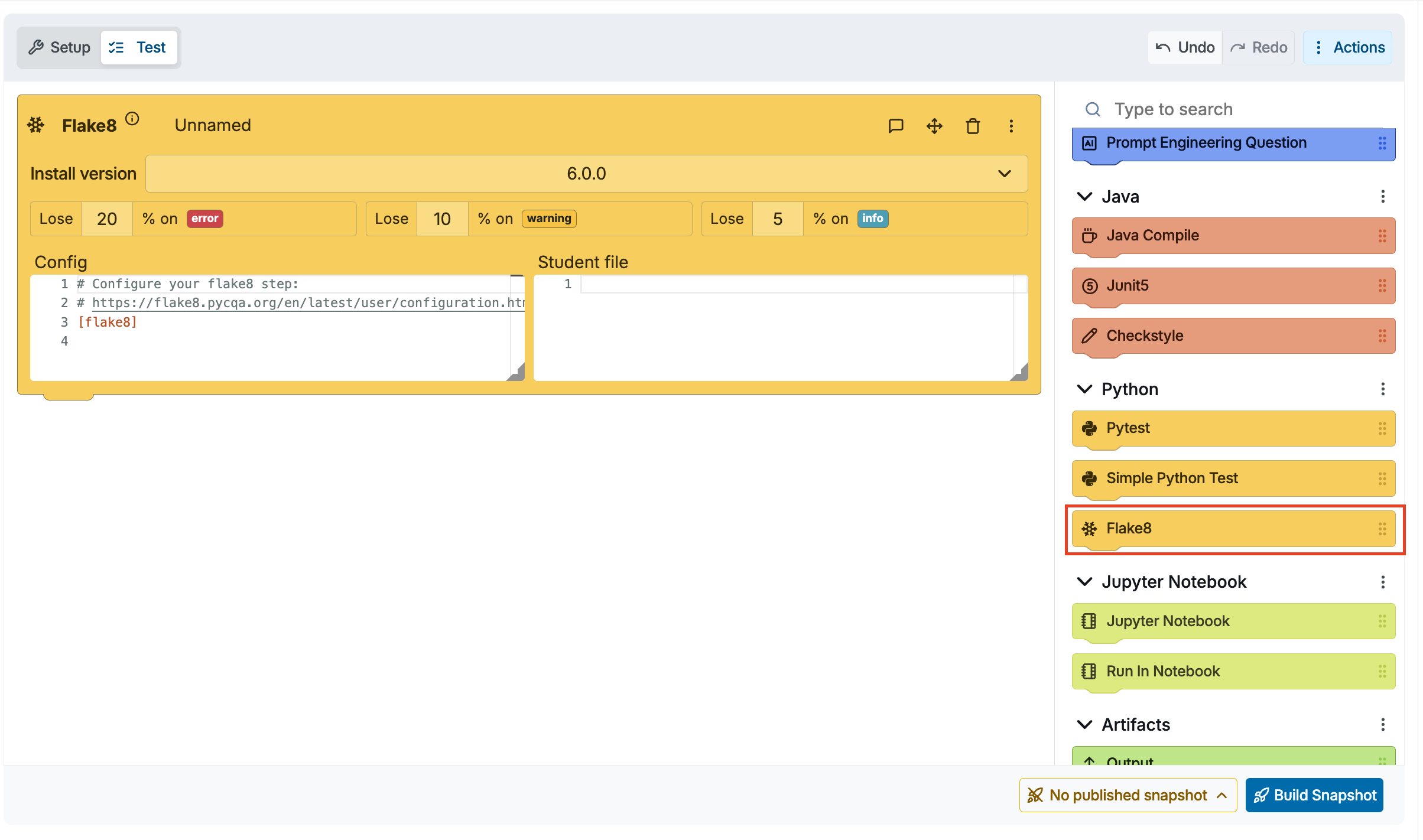
Flake8 checks Python code against PEP 8 style guidelines. In CodeGrade, it has its own dedicated Flake8 block in AutoTest.
How it works:
- Add a Flake8 block to your AutoTest
- Configure which rules to enforce or adjust the severity penalties
- That is it — students submit, and Flake8 runs automatically alongside your other tests
Custom configuration with AI:
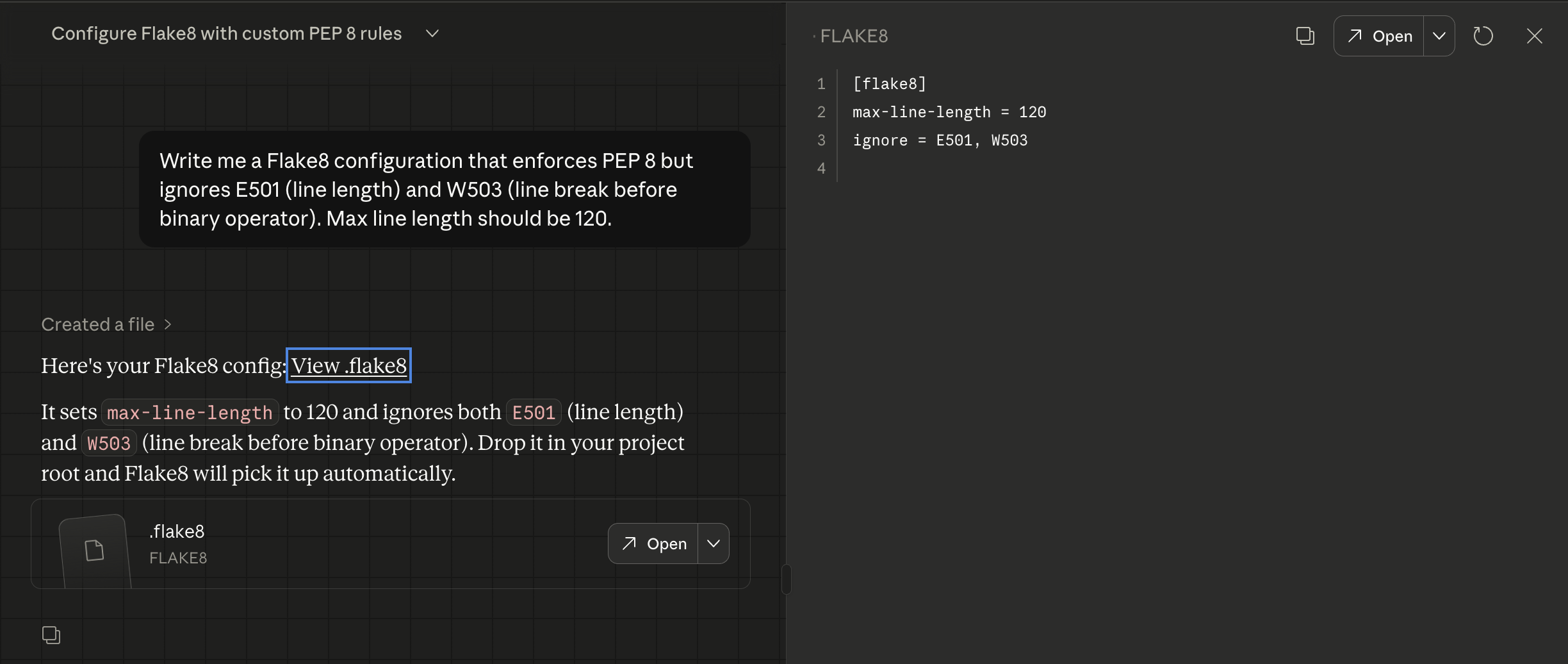
If you want to ignore certain rules, set a max line length, or focus only on specific checks — just ask AI:
"Write me a Flake8 configuration that enforces PEP 8 but ignores E501 (line length) and W503 (line break before binary operator). Max line length should be 120."
AI gives you a ready-to-use config. Paste it into the Flake8 block's configuration, done.
Checkstyle for Java: Presets that get you started instantly
Checkstyle enforces naming conventions, formatting, Javadoc requirements, and more for Java code. CodeGrade has a dedicated Checkstyle block with three built-in presets: Checkstyle's default, Sun style guide, and Google style guide.
How it works:
- Add a Checkstyle block to your AutoTest
- Select a preset (Default, Sun, or Google)
- Customize the loaded configuration as needed — add rules, remove rules, or adjust thresholds
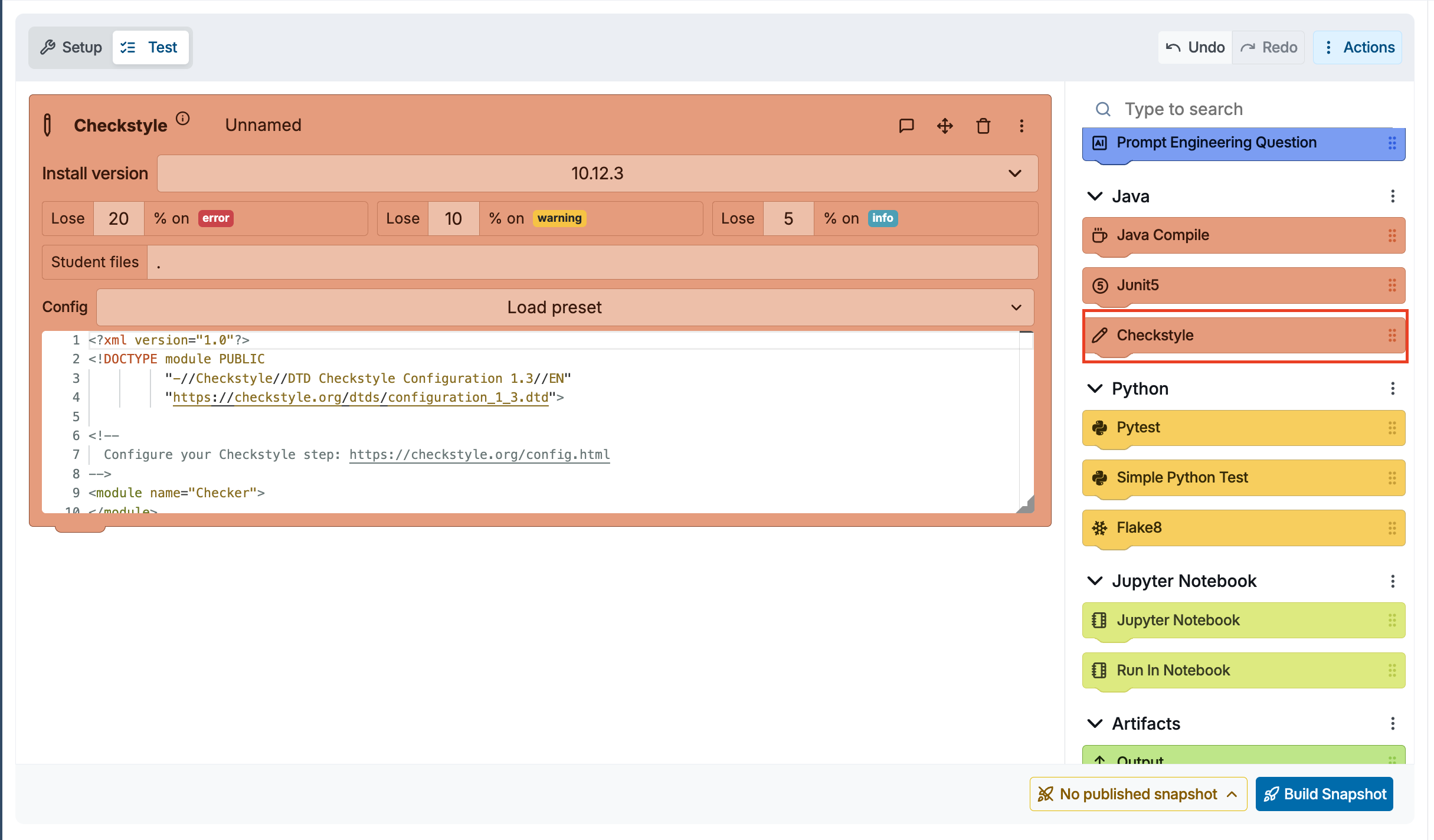
You start from a solid baseline and tweak from there. If you need something more specific, AI can help, ask it to modify the loaded config for your course requirements, like enforcing camelCase naming or limiting method length to 40 lines.
Clang-Tidy for C/C++: Quality checks via Custom Test block
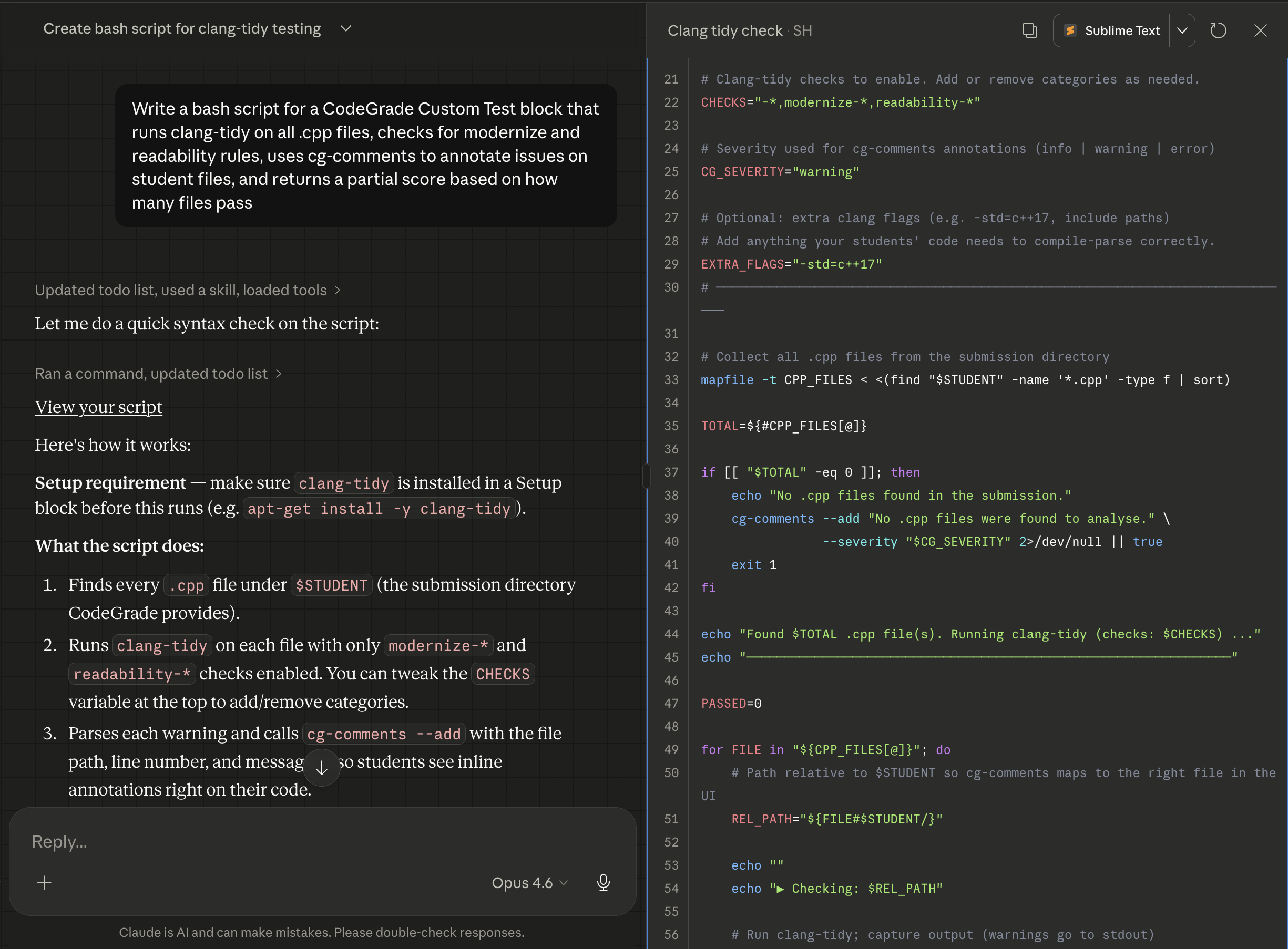
There is no dedicated clang-tidy block in CodeGrade, but you can run it easily using a Custom Test block. First, install Clang in your AutoTest Setup, this is where you configure the base environment before any tests run. Once clang-tidy is available, a Custom Test block lets you run it and assign partial grades based on the results.
How it works:
- Install Clang in your AutoTest Setup (select your preferred version) and add clang-tidy in the setup script:
sudo apt-get update && sudo apt-get install clang-tidy
- Add a Custom Test block to your AutoTest
- Write a short script that runs clang-tidy on the student's source files — use cg-comments to post feedback directly on specific lines in the student's code
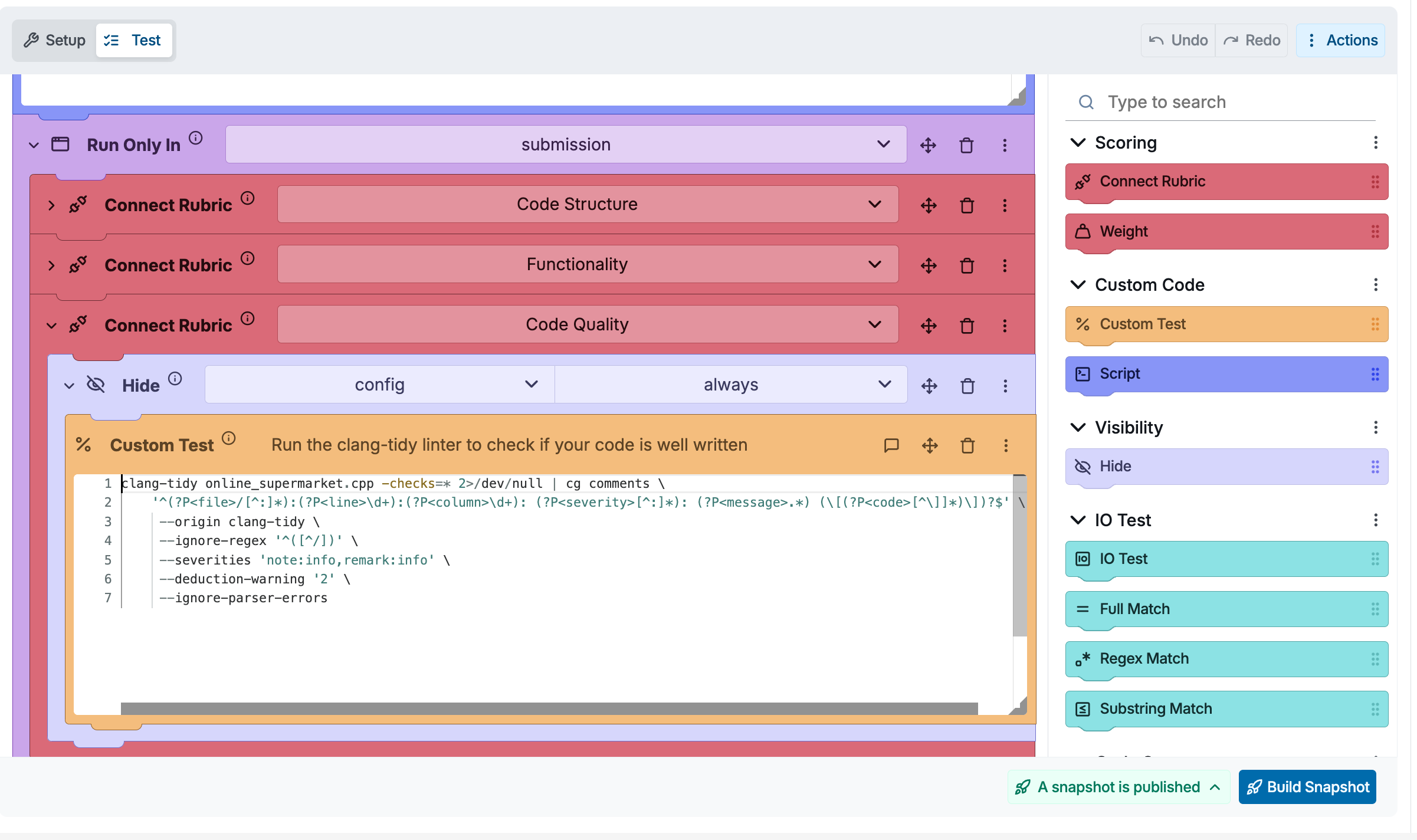
AI writes the script for you:
"Write a bash script for a CodeGrade Custom Test block that runs clang-tidy on all .cpp files, checks for modernize and readability rules, uses cg-comments to annotate issues on student files, and returns a partial score based on how many files pass."
Paste the output into your Custom Test block. That is all it takes.
Code Structure Test with Semgrep: Check how students build, not just what they build
Flake8 and Checkstyle handle style. Semgrep goes deeper, it lets you check code structure. Does the student use recursion? Did they implement a specific design pattern? Are they calling a forbidden library function?
CodeGrade's Code Structure Test block uses Semgrep rules to verify structural requirements in any language.
How to set it up:
- Add a Code Structure Test block in AutoTest
- Add Positive Match or Negative Match rules using Semgrep pattern syntax
- Specify which files to check and assign points per rule
Using AI for Semgrep rules:
We covered this in detail in a previous blog post: Smarter Assignment Setup: Using AI to Generate Semgrep Rules.
Beyond the built-in blocks: Any linter that runs on Ubuntu
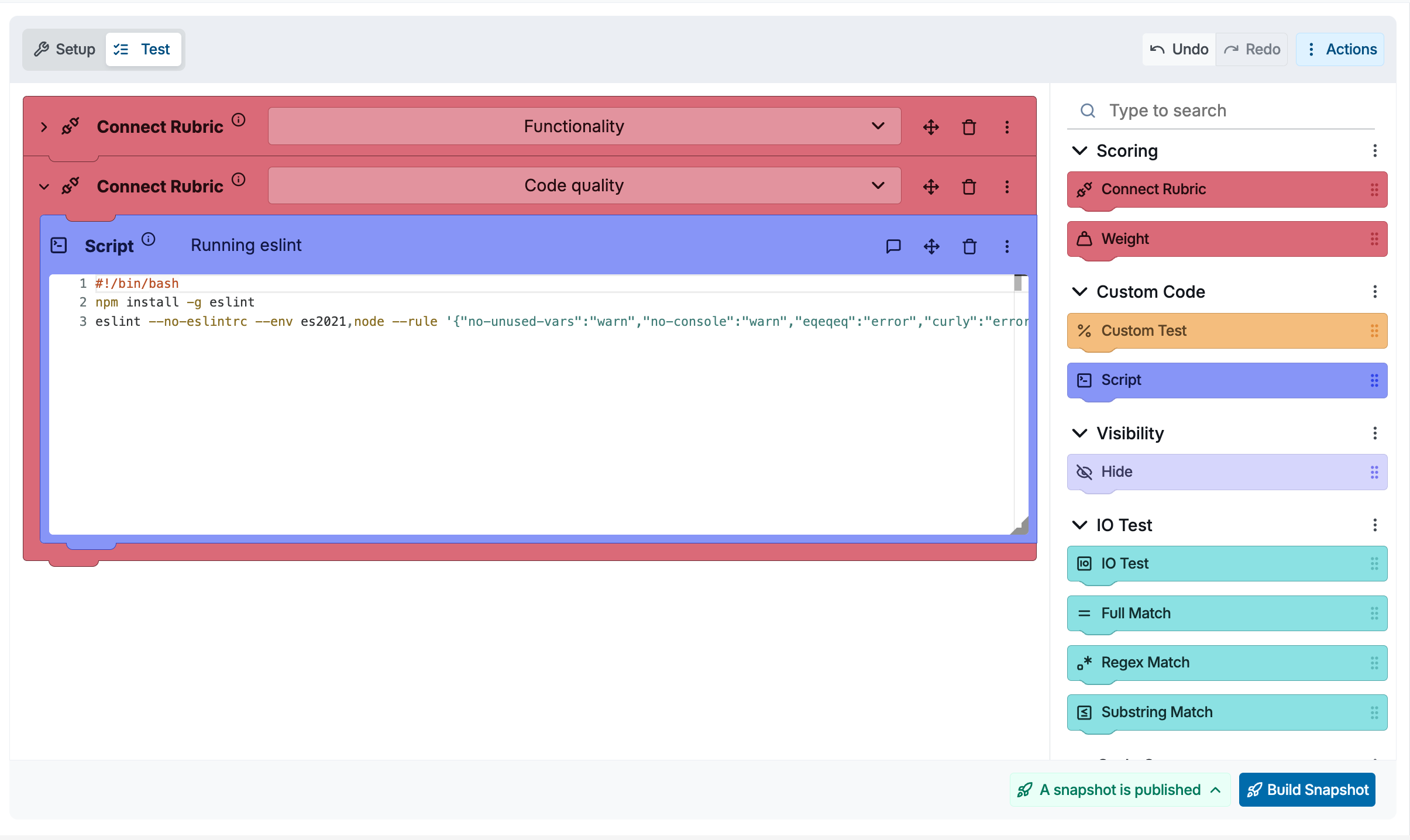
CodeGrade's AutoTest runs on Ubuntu 20.04 and 24.04. That means any linter you can install via apt or pip can be used through a Script or Custom Test block. Some examples:
Python — pylint, mypy, bandit, black (format check), isort
JavaScript / TypeScript — ESLint, Prettier (check mode), TSLint
C/C++ — cppcheck, cpplint, clang-tidy
Go — golangci-lint, go vet, staticcheck
Rust — clippy (via cargo)
Ruby — RuboCop
C# — dotnet format (via .NET environment block)
R — lintr
The pattern is always the same: add a Script block, install the linter if it is not already available, and run it against the student's files. Use AI to generate the install-and-run script for your specific linter and configuration.
The big picture: It is just moving blocks around
Setting up code quality assessment in CodeGrade is not a big technical lift. The AutoTest editor lets you drag and drop blocks. Adding a Flake8 block, a Checkstyle block, or a Code Structure Test is the same as adding any other test — pick the block, configure it, done.
And automated checks are only part of the picture. You can combine them with inline feedback from TAs to catch the things linters miss, like poor naming choices or unclear logic. Students can write and test their code directly in CodeGrade's code editor, so the entire workflow — writing, submitting, and getting feedback — happens in one place.
Getting started
Ready to try it in your next assignment? Sign up for CodeGrade Free and set up your first code quality check in minutes. For a step-by-step walkthrough, check out the AutoTest documentation.