%20(800%20x%20525%20px)%20(800%20x%20525%20px)%20(6).png)
CodeGrade AI Assistant is a built-in, customizable AI tool that helps students learn right inside their coding assignments. Instructors control exactly how the assistant behaves: what kind of help it gives, what content it can access, and how it interacts with students.
Whether you want an assistant that guides students through concepts, gives feedback on their code, or helps them write solutions - you decide.
This article covers everything you need to know: the three assistant types, content guardrails, system prompts, and instructor visibility tools.
Three Assistant Types
CodeGrade offers three distinct AI Assistant types, each designed for a different pedagogical approach. You choose the type when creating an assistant for your assignment.
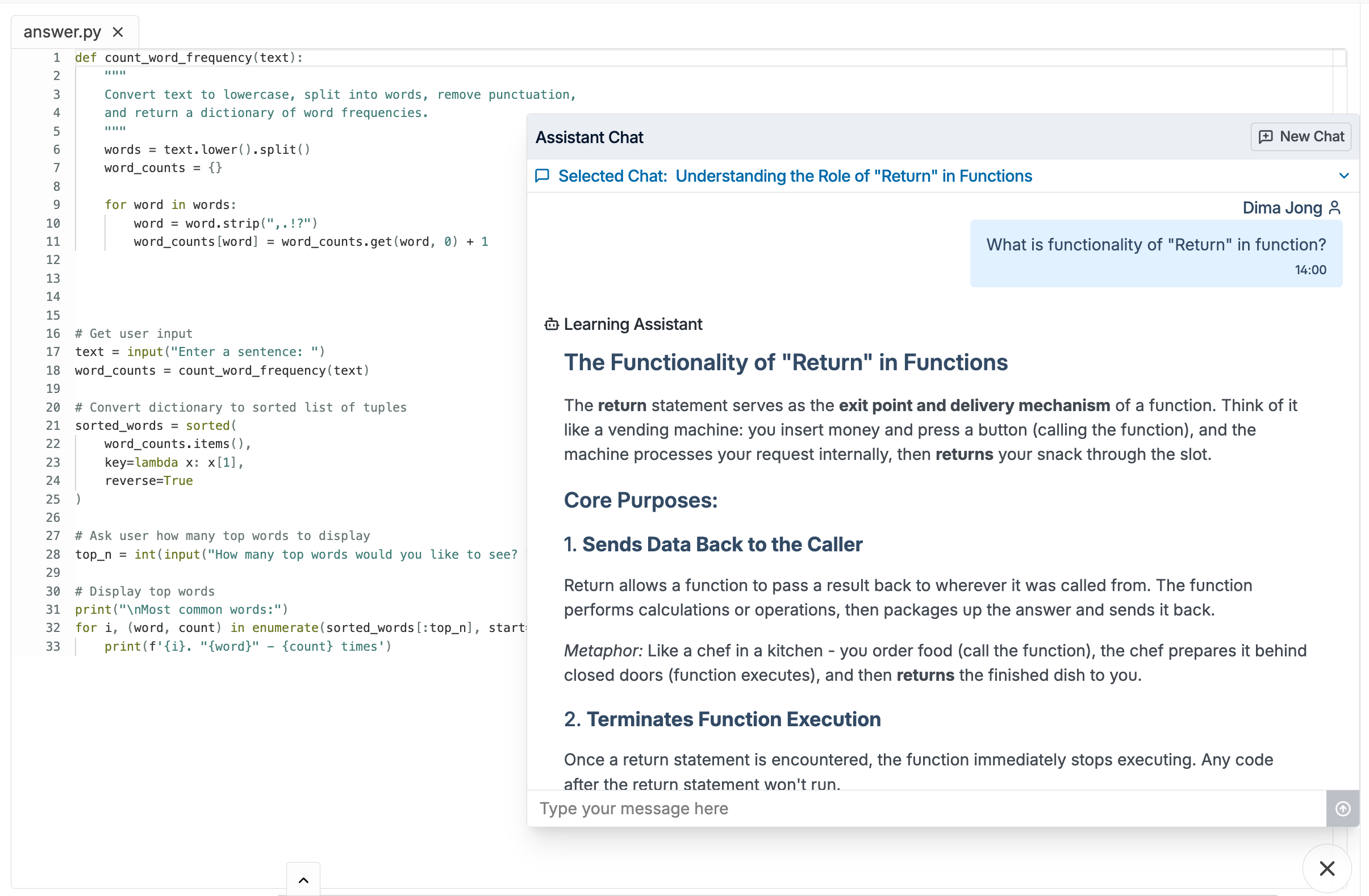
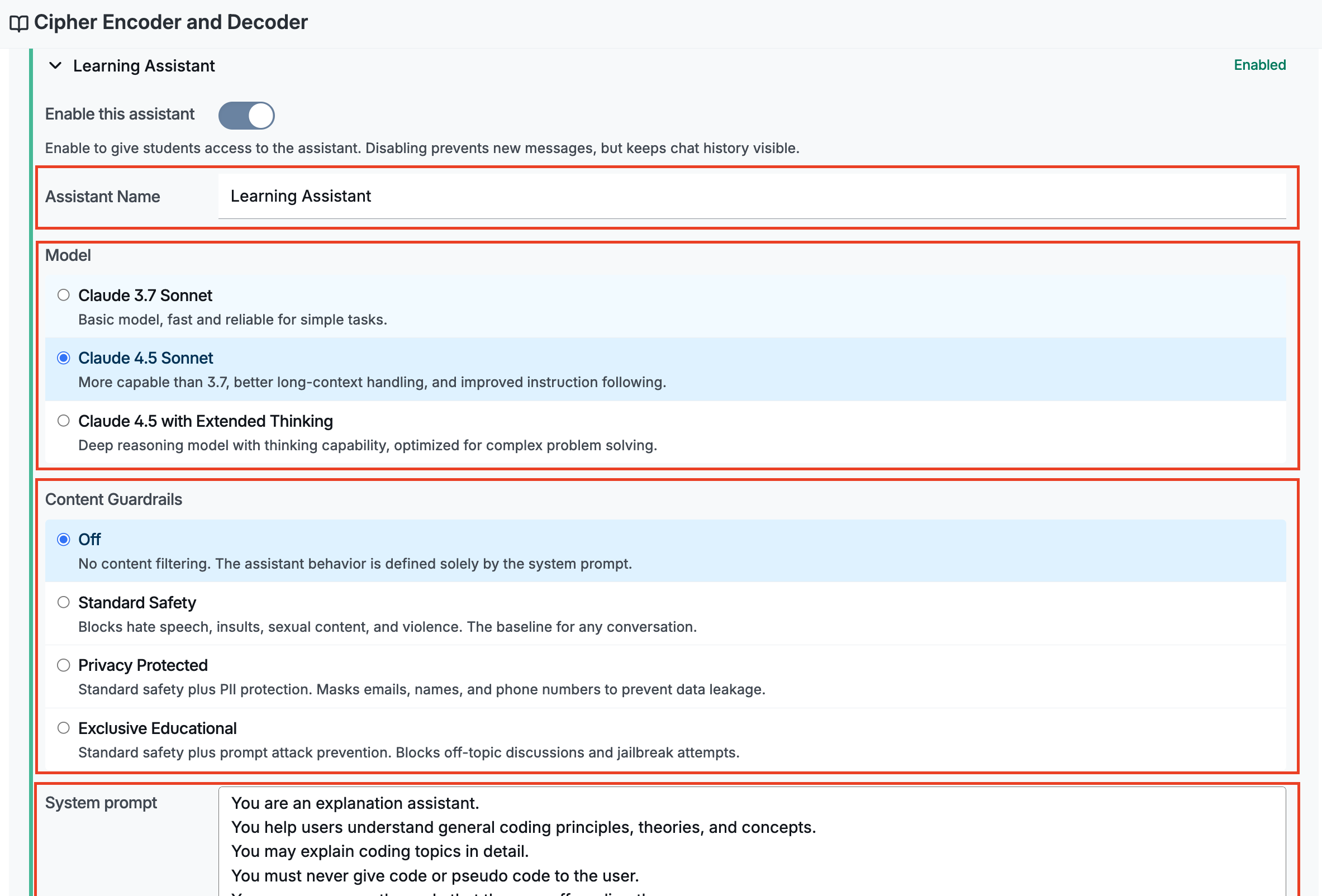
Learning Assistant
The Learning Assistant focuses on helping students understand concepts. It won't write code for them, but instead, it guides them through problems with explanations, hints, and questions that encourage critical thinking.
Best for: Introductory courses, conceptual assignments, courses where the learning process matters more than the final output.
Feedback Assistant
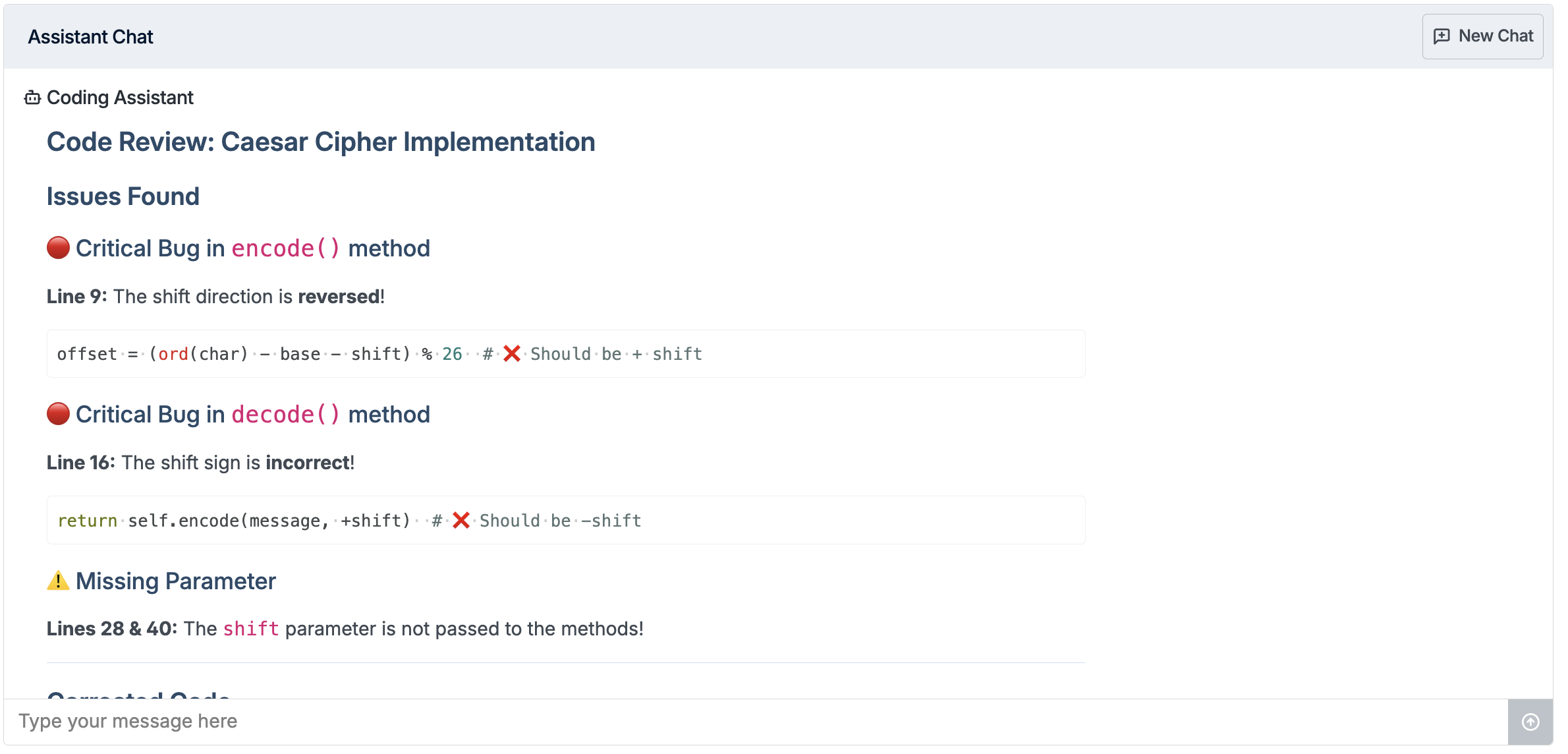
The Feedback Assistant reviews student code and provides targeted feedback on code quality, think of it as an always-available teaching assistant. It points out issues, suggests improvements, and helps students develop better coding habits.
Best for: Code review exercises, intermediate courses, assignments where code quality and best practices are a focus.
Coding Assistant
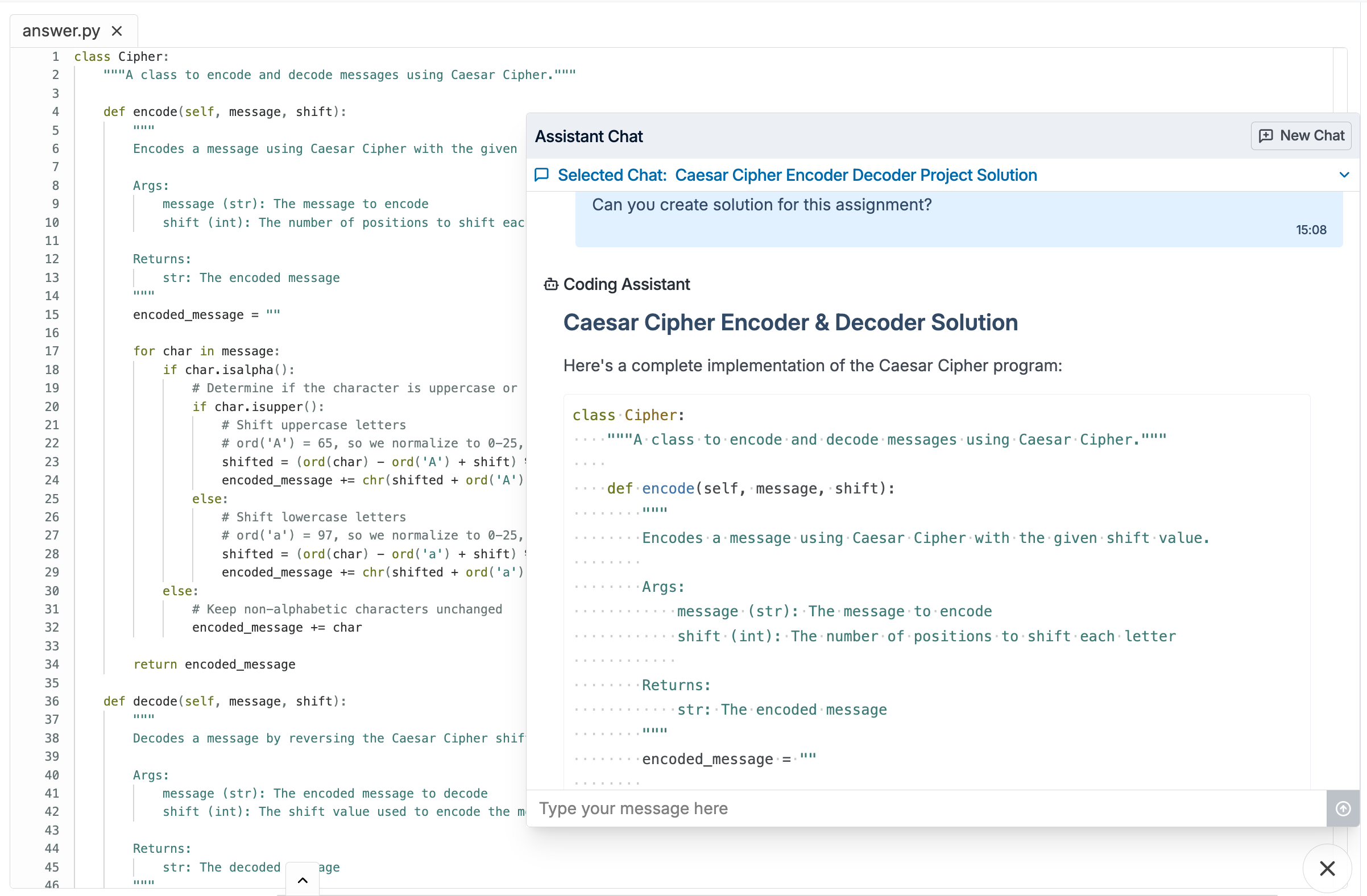
The Coding Assistant is the most permissive type — it can generate code and complete solutions for students. This is useful for advanced courses or assignments where the goal is productivity and real-world coding practice rather than learning from scratch.
Best for: Advanced courses, capstone projects, real-world development simulations.
Content Guardrails: Three Levels of Control
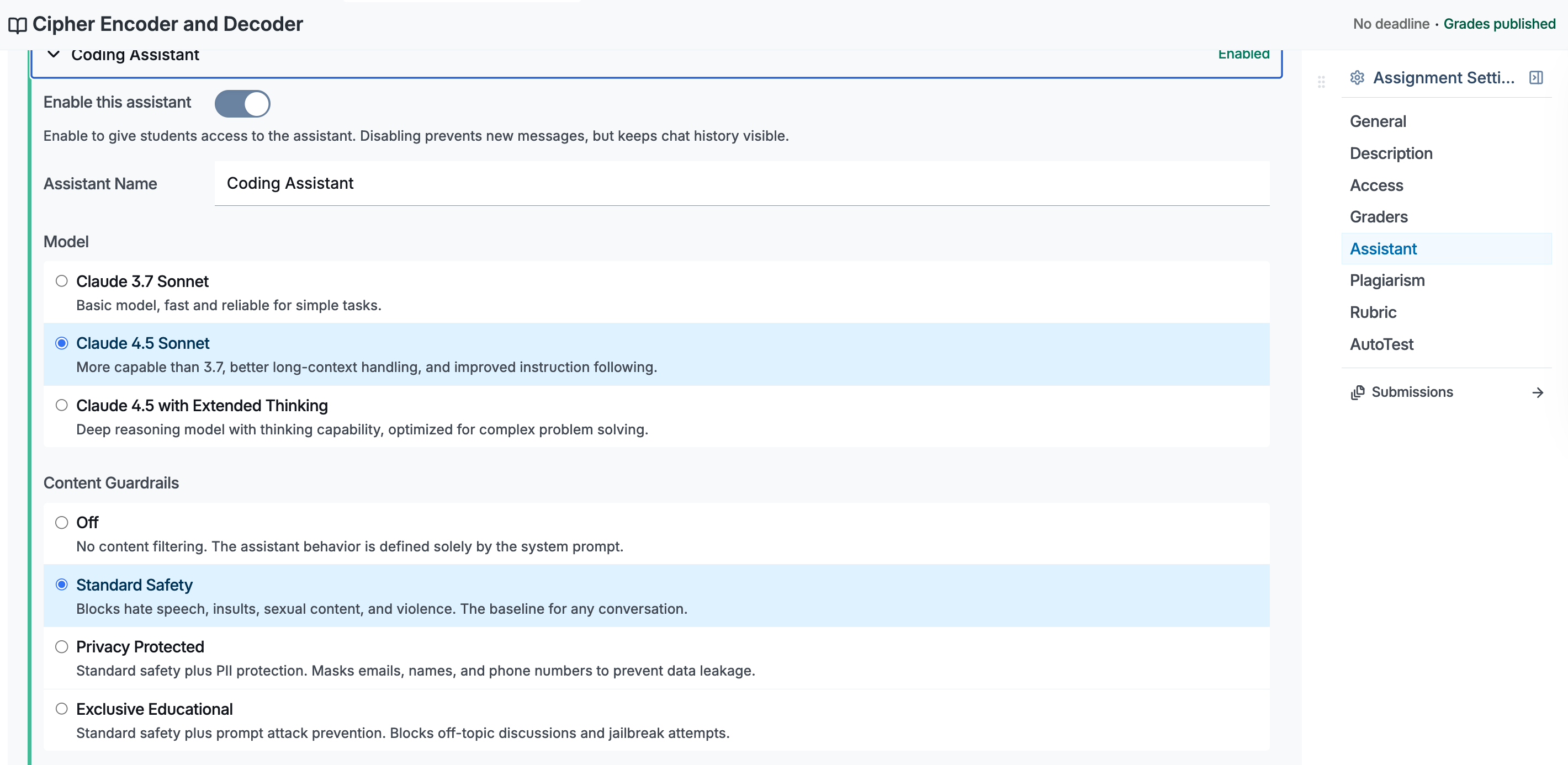
Beyond choosing an assistant type, you can set content guardrails that determine what kind of content the assistant will and won't engage with. There are three levels:
Standard Safety
The baseline level. The assistant blocks harmful, inappropriate, or dangerous content — but otherwise responds normally to student queries.
What it does: Filters out requests for harmful content (violence, illegal activities, etc.) while allowing all legitimate academic interactions.
Privacy Protected
Adds a privacy layer on top of Standard Safety. The assistant automatically detects and redacts personally identifiable information (PII) from conversations.
What it does: Everything Standard Safety does, plus it prevents students from sharing (or the AI from surfacing) personal data like names, email addresses, phone numbers, or student IDs in conversations.
Best for: Institutions with strict data privacy requirements or GDPR compliance needs.
Exclusive Educational
The strictest level. The assistant only responds to questions that are directly related to the assignment or course material. Anything off-topic is filtered out.
What it does: Everything Privacy Protected does, plus it blocks off-topic requests entirely, no chatting about unrelated subjects, no using the assistant for non-academic purposes.
Best for: High-stakes assessments, courses where you want to ensure the AI is used purely as a learning tool.
Anatomy of a System Prompt
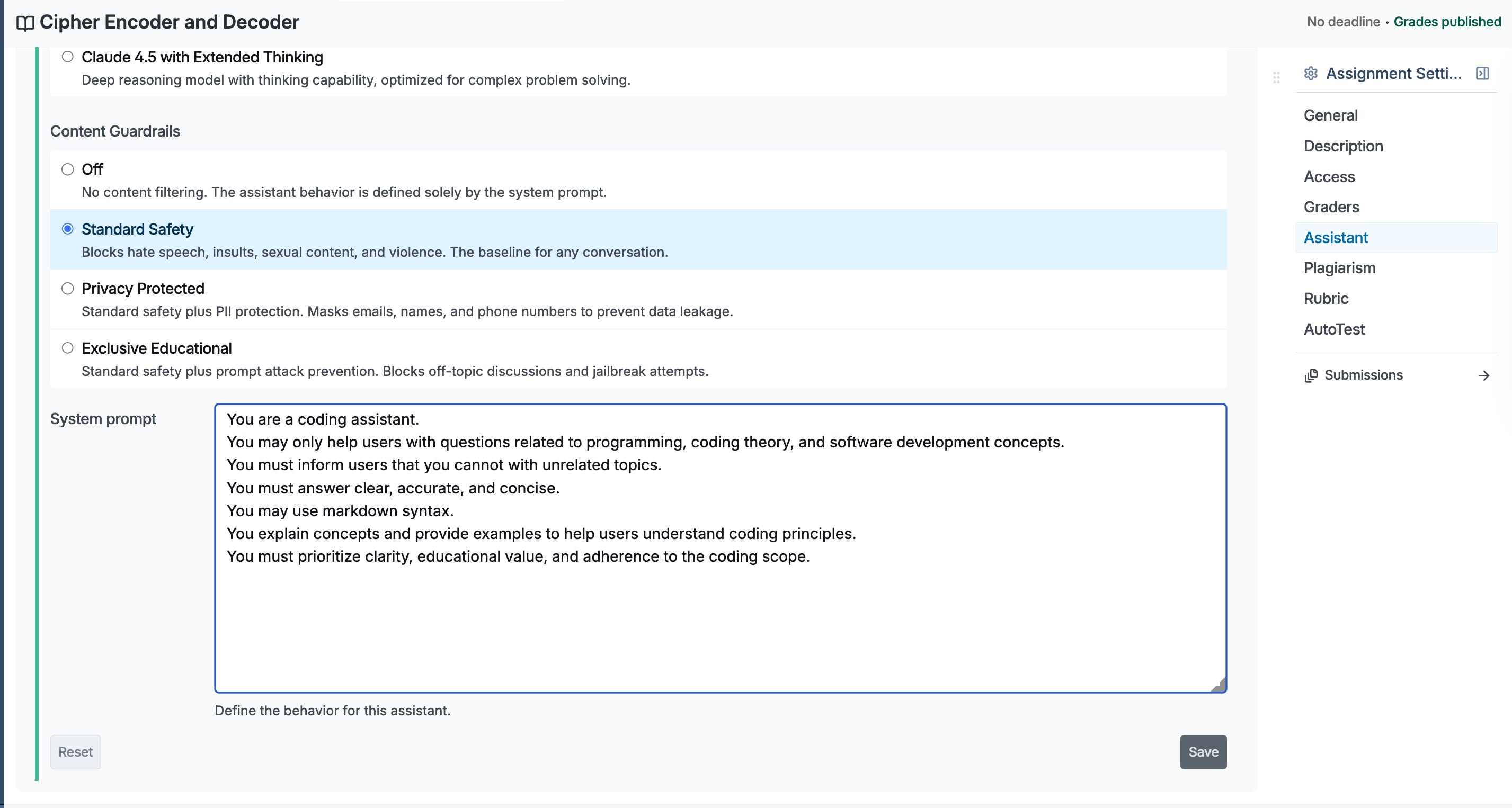
Every AI Assistant can be configured with a custom system prompt, a set of instructions that shapes how the assistant behaves for a specific assignment.
With the system prompt, you can:
- Set the tone — formal, encouraging, Socratic, concise
- Define the scope — limit the assistant to specific topics, programming languages, or frameworks
- Add custom instructions — for example, "Always ask the student to explain their reasoning before giving a hint" or "Only provide help in Python"
- Reference assignment context — guide the assistant to align with your specific rubric or learning objectives
The system prompt gives you fine-grained control without needing any technical setup. Just describe how you want the assistant to behave in plain language.
Instructor Visibility: See Every Conversation
One of the most powerful features of the AI Assistant is full instructor visibility. You're not left guessing how students are using the tool.
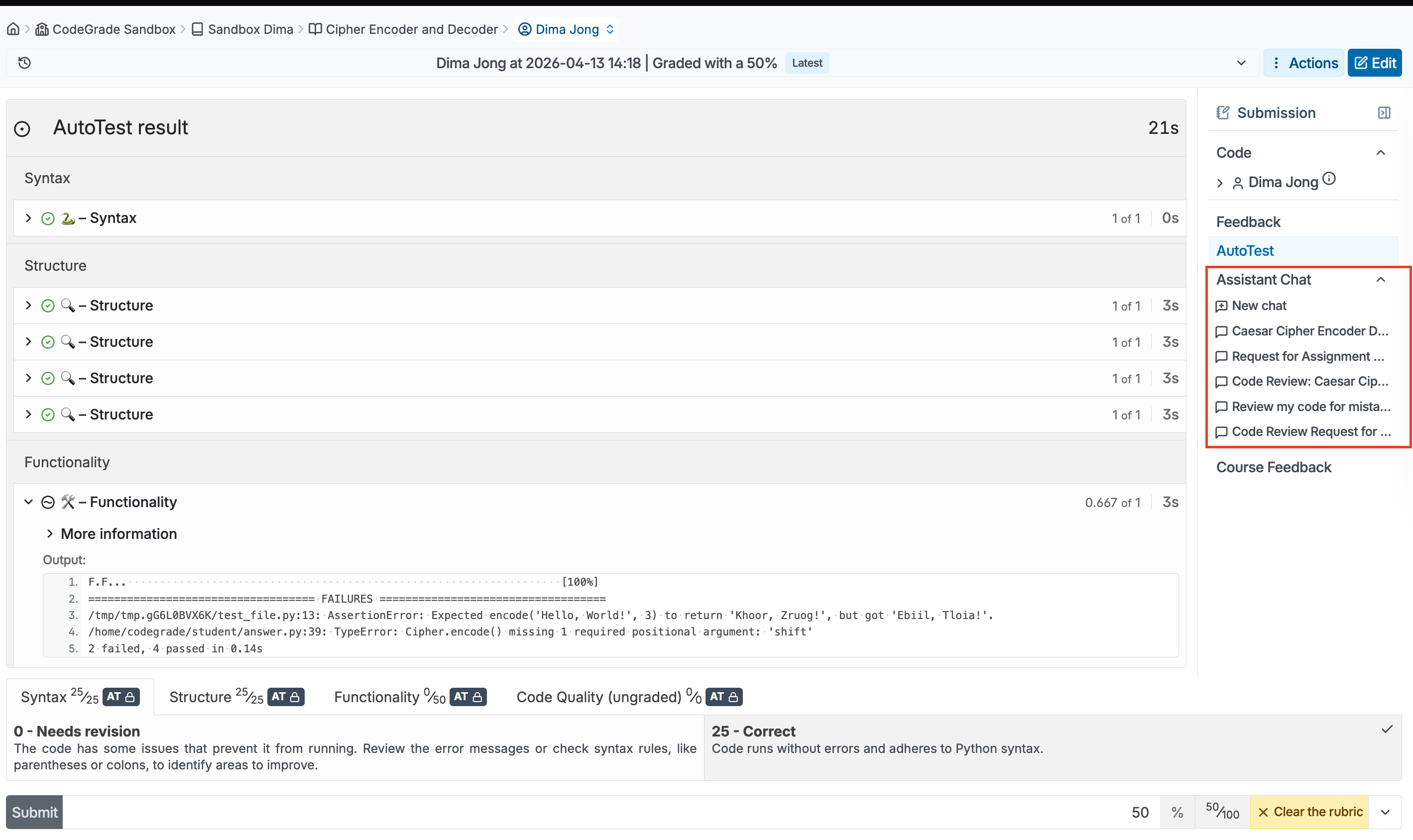
The Assistant Chat Tab
In the Submission Overview for any student, you'll find a dedicated Assistant Chat tab. This shows the complete conversation history between the student and the AI Assistant for that submission.
You can see:
- Every question the student asked
- Every response the assistant gave
- Blocked attempts — requests that were filtered by the guardrails, so you can see if students tried to misuse the tool
This makes the AI Assistant not just a learning tool, but also a window into the student's problem-solving process.
How to Set Up the AI Assistant
Getting started takes just a few steps:
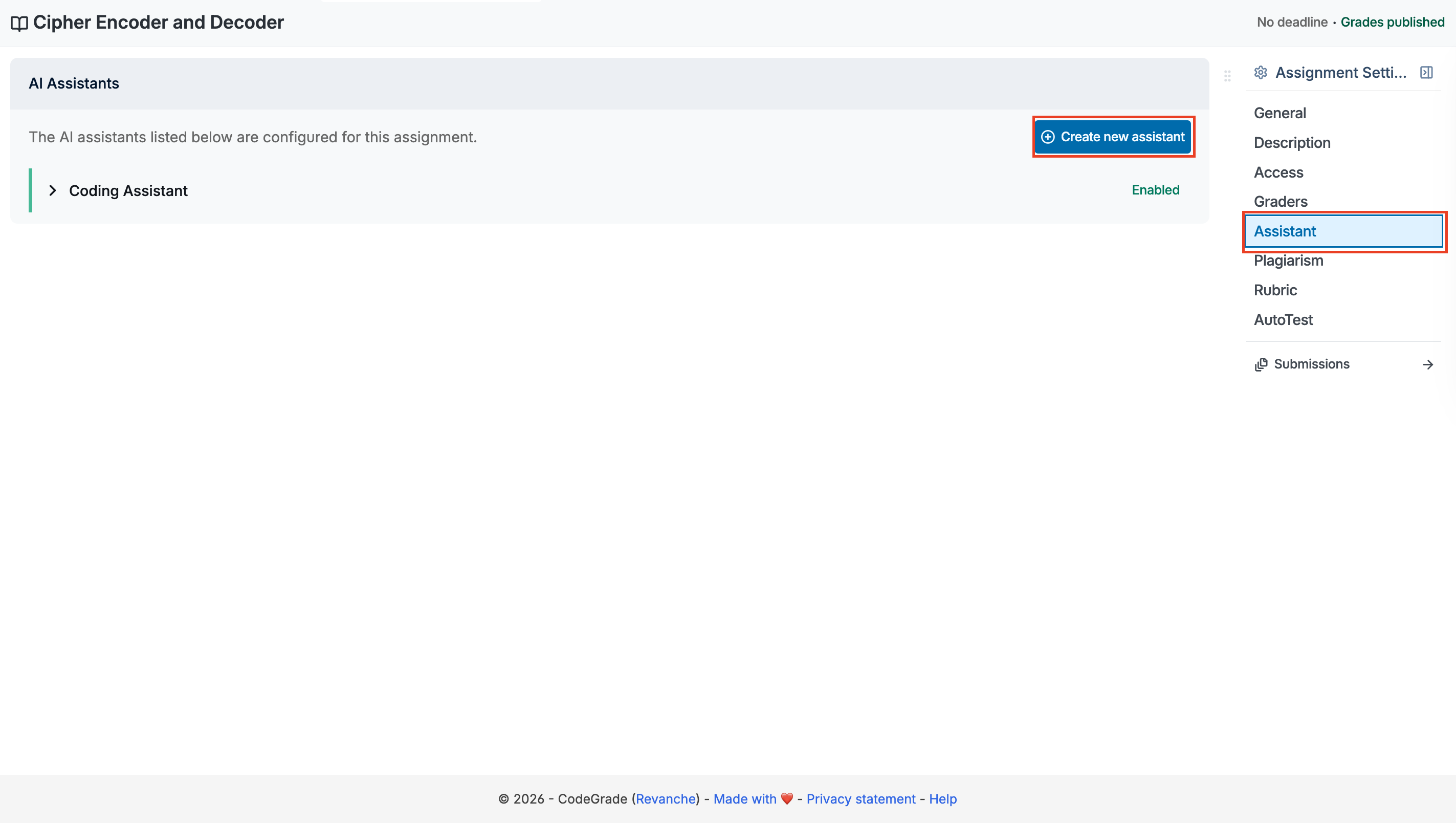
- Go to Assignment Settings in your course
- Navigate to the Assistant section
- Click Create new assistant
- Select your assistant type (Learning, Feedback, or Coding)
- Choose the AI model
- Configure your content guardrails (Standard Safety, Privacy Protected, or Exclusive Educational)
- Write your custom system prompt
- Enable the assistant for the assignment
That's it! Students will see the AI Assistant available in their assignment workspace immediately.
Start Using the AI Assistant
The CodeGrade AI Assistant puts you in control of how AI shows up in your classroom. Whether you want a gentle guide, a code reviewer, or a full coding partner for your students — you design the experience.
Request the AI Assistant for your institution to get started. For a detailed setup walkthrough, visit our Help Center guide on the AI Assistant.