A student sits down to a programming exam in a computer lab. Their session is locked down. They are signed out of every other CodeGrade session, everything outside the exam course is hidden, and re-entry is limited. An access password gates the course, and IP restrictions keep entry to campus.
None of that reaches the laptop in front of them. The student can still open a second browser window and ask ChatGPT. They can keep notes on a second monitor, or a phone face-up next to the keyboard. CodeGrade locks the CodeGrade session, not the browser. We've always described it that way, because that's honestly what it is.
Secure exam browsers are the answer to that. They take over the workstation at the operating system level, so there is no second window and no second application. Schoolyear makes one, and CodeGrade integrates with it.
Running two tools is not the same as them working together
An institution can already ask students to sit a CodeGrade exam inside a safe browser. The problem is that nothing enforces it. A student who skips the secure browser and opens the exam in Chrome gets in exactly the same way. The lockdown is real, and entirely optional.
The integration removes the option. Before letting a student into the exam, CodeGrade checks with Schoolyear that they are genuinely inside the locked-down browser. If they are not, the exam does not open.
How it works
Students set up before exam day, not on it. Installing a secure exam browser is the part that goes wrong. Some students have to reinstall it. Some have to reboot, which on a student laptop can take 15 minutes. So preparation is a separate step from entry. At any point before the exam opens, a student opens the course in their normal browser and clicks prepare. They install Schoolyear. Schoolyear then reopens the secure browser, on the same countdown screen, and they wait there. Schoolyear's own advice is to let students in at least half an hour early. This is what makes that possible.
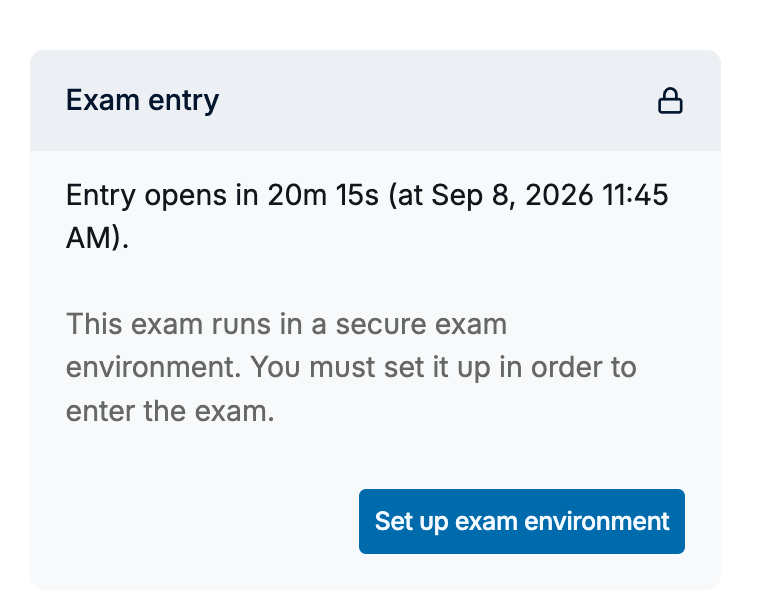
Entry is refused at the door. When the window opens, the student enters from inside the Schoolyear browser, and CodeGrade verifies the Schoolyear signature as it lets them through. A student in an ordinary browser is not flagged in a report you read afterwards. They do not get in at all.
The checking continues during the exam. CodeGrade re-verifies throughout the session rather than only at the start. If verification starts failing, the student gets a clear warning on screen. It does not throw them out of a running exam on a single failed check, which matters when the cause is a dropped connection rather than a student leaving the secure browser.
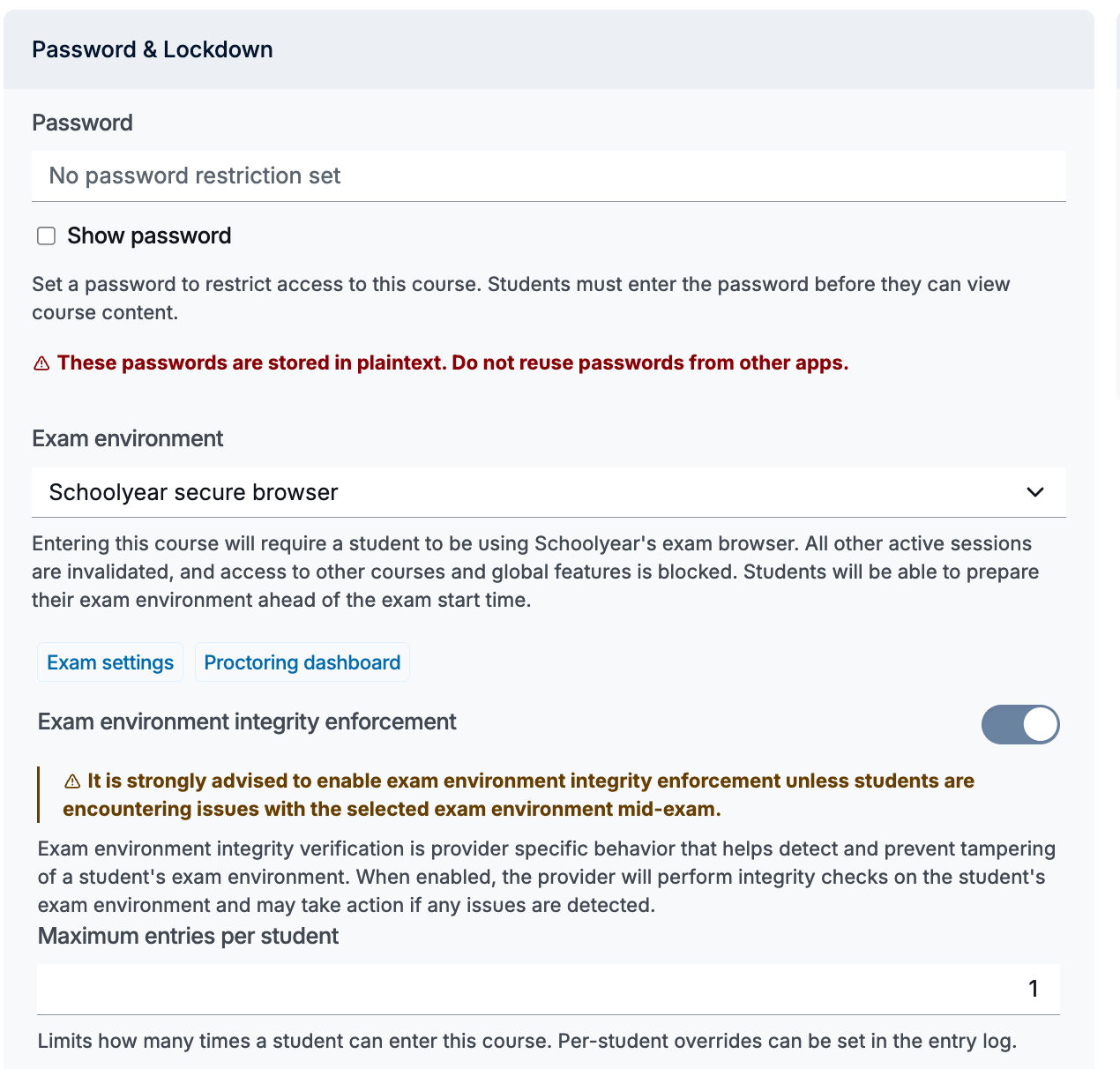
You set it up from a dropdown. The exam's restriction settings gain an Exam environment panel. Pick Schoolyear from the provider list. Two buttons in the same panel open Schoolyear's own settings and dashboard, so you are not going looking for the Schoolyear console separately.
There is an off switch. If Schoolyear has an outage on exam day, you can turn verification off and the exam carries on as a normal locked-down CodeGrade exam. Schoolyear recommends having it, which is why it is there. You turn it back on yourself, so nothing quietly re-enables behind you.
What stays the same
Everything else about a CodeGrade exam is untouched. Access passwords, IP restrictions and entry limits apply as they always did. Students write code in the same browser editor against the same tests, and grades are ready the moment the exam ends. You can still combine autograded results with a manual rubric review.
Leaving works the way it already does. During any locked-down exam the normal logout button is hidden, and students exit through Leave Exam. With Schoolyear, that exit also prompts them to close the Schoolyear browser.

What this is not
CodeGrade is not becoming a proctoring tool. There is no camera, no recording, and no behaviour flagging. Schoolyear locks the workstation. CodeGrade confirms the student is inside it. Those are two jobs, and we are only doing the second one.
Schoolyear is a separate product with its own licence, and CodeGrade does not resell it. If your institution does not already use Schoolyear, this means adopting two things rather than one.
Schoolyear is also the first provider, not the only one we have built for. The groundwork underneath supports other exam browsers, and Safe Exam Browser is next.
Interested?
The integration needs a Schoolyear license on your side and a one-time setup on ours, so it starts with a conversation rather than a checkout page. If your institution already uses Schoolyear, or is weighing it up for the coming year, get in touch and we will take you through what connecting the two involves.
If you are not running exams in CodeGrade yet, you do not need any of this to start. Session lockdown, IP restrictions and access passwords come with code exams on the free tier. Free for courses up to 50 students. No trial, no expiration. Start free.