Here's a scene everyone who teaches with code knows. Assignment one goes out, and within the hour the questions start. Python won't install. The code runs on one laptop and crashes on another. And now that AI will happily configure every student's machine its own way, a class quickly becomes thirty slightly different environments, with nobody deciding what students work with or when.
Starting today, that changes. The Terminal is here, launching in beta.
What is the Terminal?
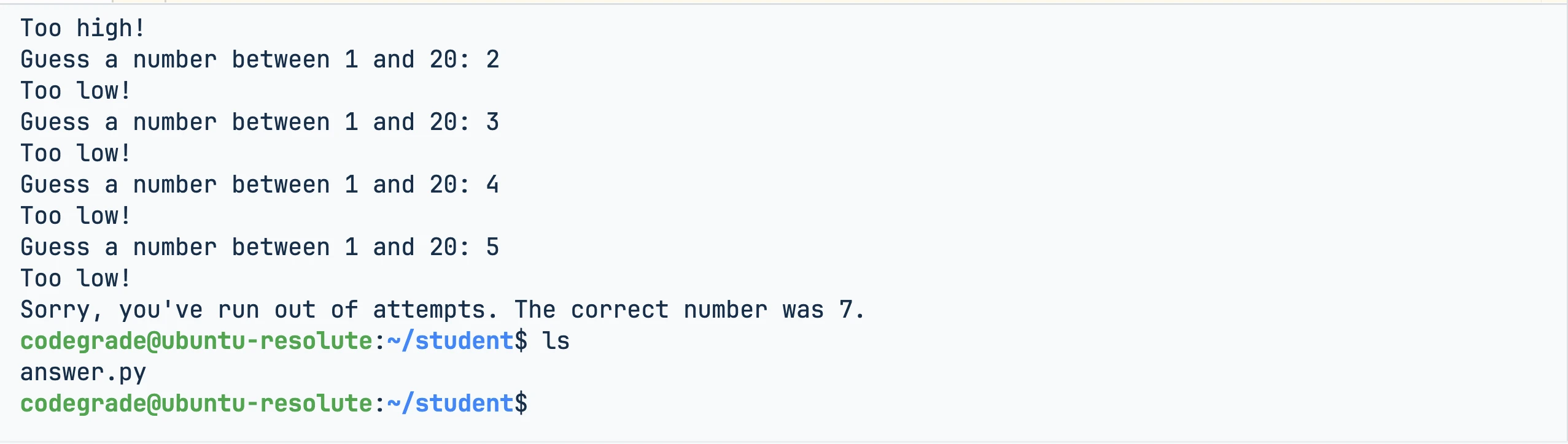
The Terminal is a real command line inside CodeGrade's code editor, in the browser. Students open their assignment, type a command, and their code runs in a real Ubuntu environment. Nothing to install, nothing to configure.
It works the same on every laptop because it doesn't run on the laptop. Each session runs in its own secure, isolated environment. Every student works in the same setup: the one you designed for your course. And it's the same environment your AutoTest runs in, so what students explore in the terminal is exactly what your tests check.
Terminal sessions close after extended use, with a warning first. A forgotten tab won't keep running in the background.
A new editor to go with it
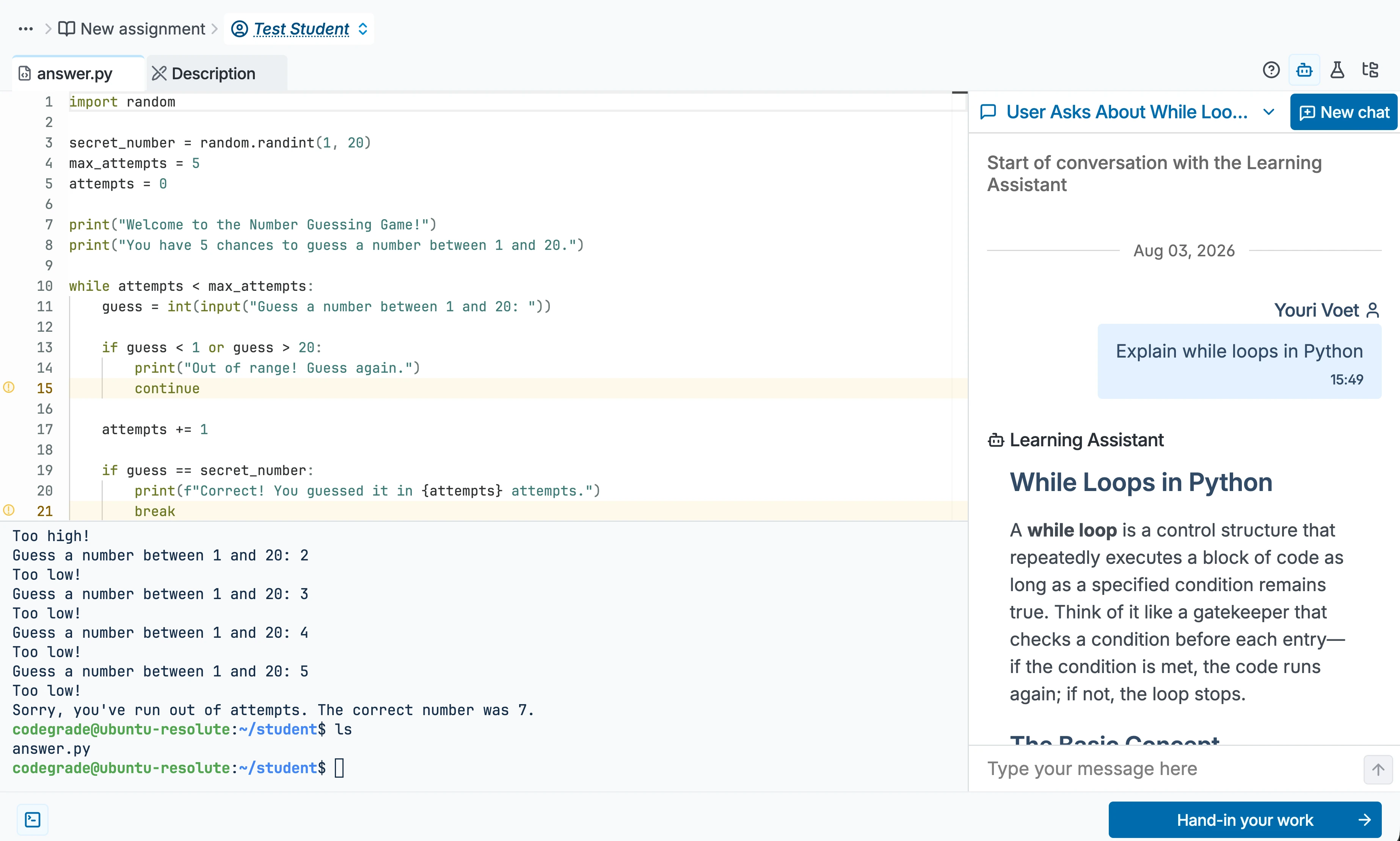
The Terminal isn't bolted onto the old editor. We redesigned the editor around it. Everything a student needs now sits on one screen: their code, the terminal, autograder feedback, and the AI Assistant, each in its own place. Write, run, ask, check, without ever switching windows.
If you've used CodeGrade before, the editor will look better today.
What this means for your course
- Students learn by doing. They write code, run it, and see what happens, all in one place. The autograder responds while the problem is still fresh in their head. That's how coding sticks.
- Everyone works in the same environment. No mismatched laptops, no "it works on my machine." You design the environment once, and every student gets the same one.
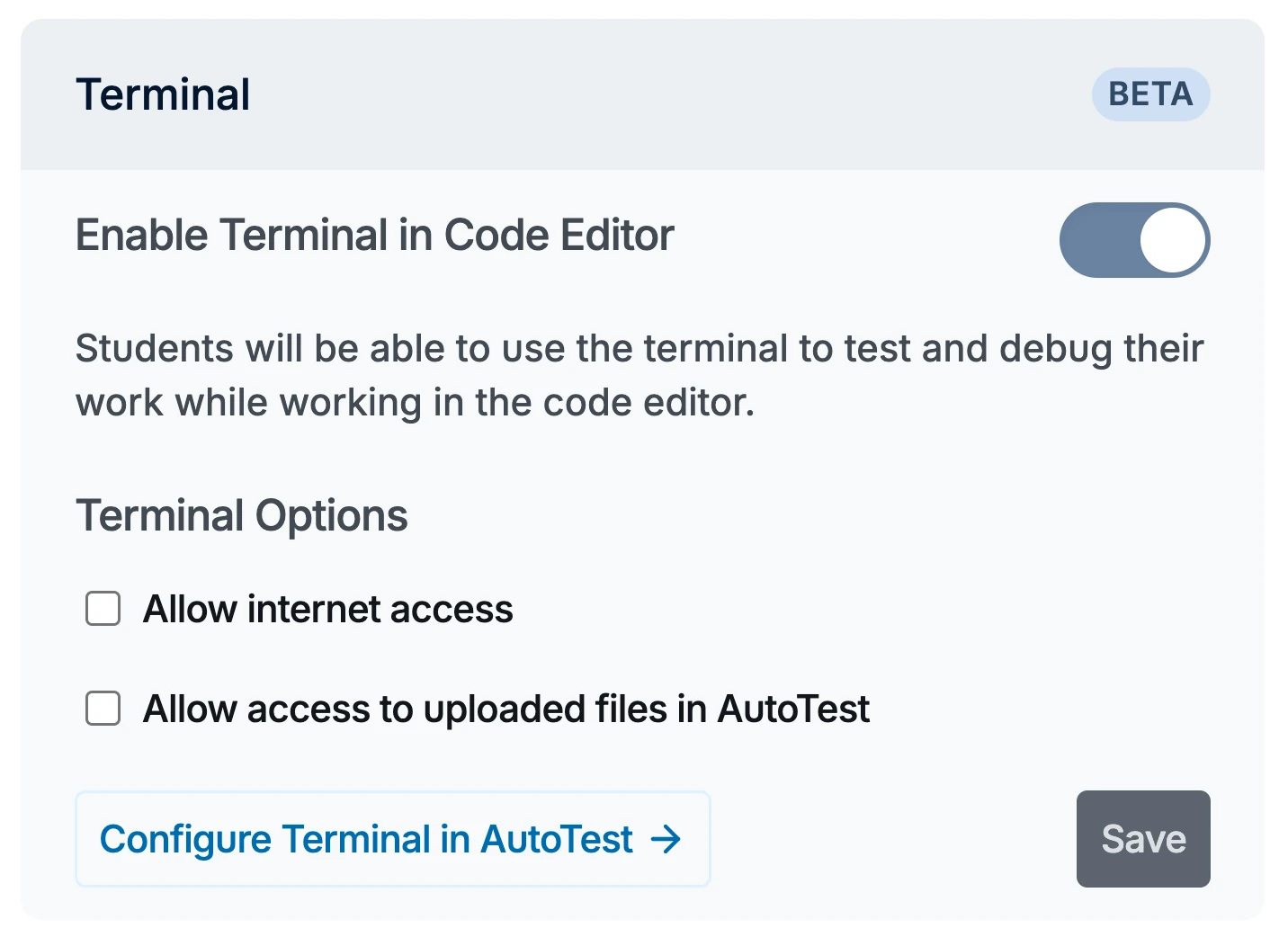
- You decide, per assignment. Turn the Terminal on for the big project, leave it off for a simple assignment. Every assignment, your call.
- Exams get fairer. Students take secured exams in the same environment they practiced in all semester. No unfamiliar machines, no surprises on the day it counts.
Where the Terminal fits
Intro courses. Day one is about programming, not installation guides. Every student starts from the same working setup.
Practice, in class and at home. Students work from anything with a browser: their own laptop, a lab computer, a library machine. The environment travels with them.
Exams. The same environment students know, secured with session lockdown, IP restrictions, and access passwords. And if the Terminal shouldn't be there on exam day, you switch it off for that assignment. Assessment in the environment students learned in is as close as it gets to fair.
The IDE built for learning
Put it together and something bigger appears. Students write code in a real editor, run it in a real terminal, and get feedback the moment they ask for it, all on one screen. You set the rules per assignment, and you can see everything.
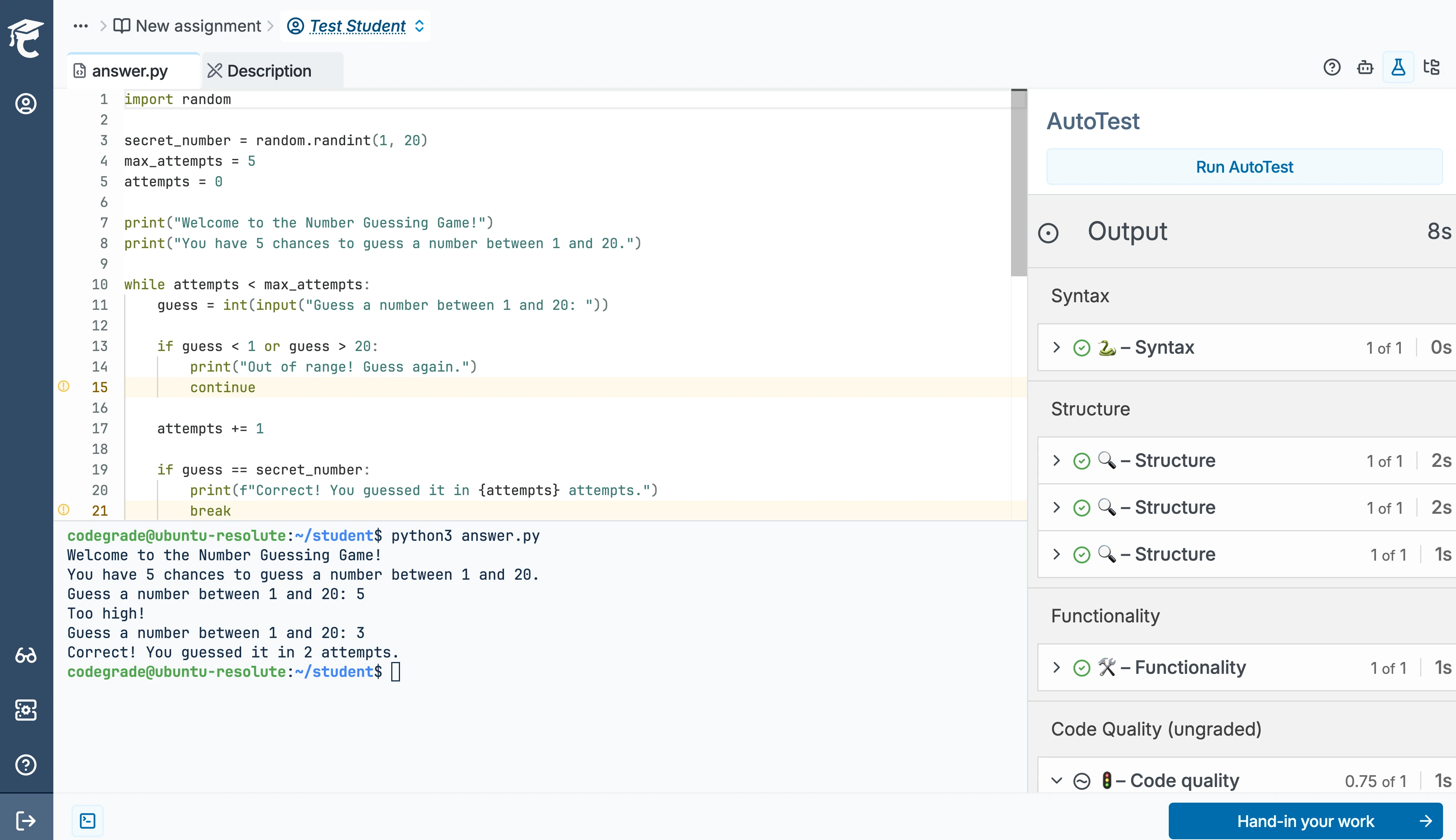
Professional developers have the IDE, an environment built for shipping software. Students need an environment built for learning. That's what CodeGrade is now: the Integrated Learning Environment, the IDE built for learning. On institutional plans it lives inside your LMS, with grades syncing back on their own. The Terminal is the piece that completes it.
Get the Terminal in your course
The Terminal launches today in beta, and we're rolling it out together with the people who teach with it. To get access, email support@codegrade.com. We'll schedule a session with you to walk through the complete IDE for learning and help you set up the Integrated Learning Environment the right way for your course.
If you are using CodeGrade Free, request a free upgrade to CodeGrade Advanced for your next semester.
Want to see it live first? We're hosting two webinars in August with a live demo and Q&A:
August 19th: Get Ready for the New Academic Year with CodeGrade Free.
August 26th: Everything You Need for the New Academic Year in CodeGrade Advanced.